I still remember my first month trying to build backlinks manually. I spent 6 hours finding email addresses and another 4 hours writing outreach emails. And you know what I got? Two replies. One rejection and one “maybe later” that never happened. That was back when I thought the best link-building tools for beginners were for big agencies with huge budgets. I was so wrong.
Today, I’m going to show you the exact link-building tools that changed everything for me. Tools that saved me hundreds of hours and helped me land backlinks from sites with millions of monthly visitors. And the best part? Many of these best link-building tools for beginners have free versions perfect for anyone just starting. This guide covers every tool you need to start building quality backlinks in 2026. No fluff. No overwhelming tech jargon. Just practical tools that actually work.
What Are The Best Link Building Tools For Beginners and Why Need Them?
Link-building tools are software platforms that help you find, analyze, and secure backlinks for your website.
Think of them as your SEO assistant, working 24/7.
Without tools, you’re doing everything manually. Finding prospects takes hours. Tracking outreach becomes a nightmare. You lose track of who you contacted and when. Your spreadsheets turn into chaos.
I learned this the hard way.
Here’s what link-building tools actually do for you:
Find link opportunities by analyzing competitor backlinks and showing you where they got their links.
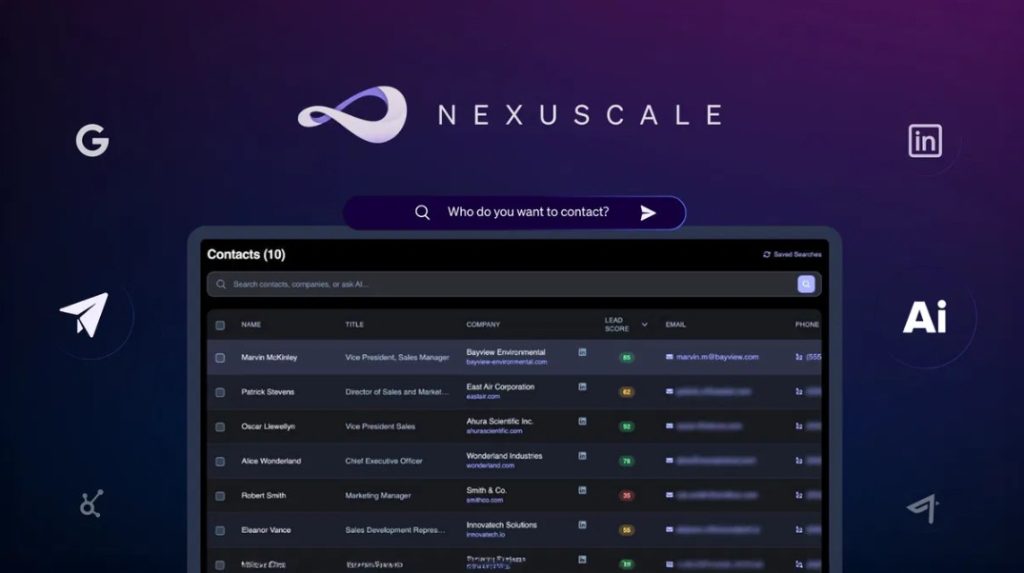
Discover contact information so you don’t waste hours hunting for email addresses.
Automate outreach campaigns and send personalized emails at scale without copying and pasting 100 times.
Track your progress so you know exactly which campaigns work and which ones flop.
Monitor your backlinks to make sure the links you worked hard to get stay live and healthy.
For beginners, these tools level the playing field. You can compete with agencies that have been doing this for years. You just need to know which tools to use and how to use them properly.
How Do Link Building Tools Actually Save You Time and Money?
Let me paint you a picture of my typical day before I discovered proper link-building tools.
Morning: Spend 2 hours manually checking competitor backlinks using free checkers that only show me 10 results.
Afternoon: Hunt for email addresses using LinkedIn, Twitter, and website contact pages. Success rate? Maybe 30%.
Evening: Send individual emails one at a time. Copy. Paste. Personalize. Repeat 50 times.
That was exhausting.
Now here’s my day with the right tools:
I run a competitor backlink analysis in 5 minutes and get 500 link opportunities.
My email finder tool discovers contact information for 80% of prospects in seconds.
My outreach tool sends 50 personalized emails while I grab coffee.
The time savings are incredible. But the money savings? Even better.
Think about it. If you hire someone at $20 per hour to do manual link building, you’re spending $160 per day. That’s $3,200 per month for one person doing basic tasks.
Most beginner-friendly link-building tools cost between $50 $200 per month. You’re saving thousands while getting better results faster.
The tools pay for themselves within the first week.
What Types of Link Building Tools Do Beginners Actually Need?
When I started, I thought I needed every tool under the sun.
I signed up for 10 different platforms. I spent $500 in one month. And I barely used half of them.
Don’t make my mistake.
Beginners need three core types of tools. That’s it.
Backlink analysis tools help you spy on competitors and find opportunities. You’ll see where your competitors get their links and identify sites that might link to you, too.
Outreach and CRM tools manage your email campaigns and keep track of conversations. No more lost emails or forgotten follow-ups.
Email-finding tools quickly discover contact information. These tools are goldmines for finding the right person to pitch.
Some tools combine all three functions. Others specialize in one area. The key is knowing what you need before you buy.
I recommend starting with one solid backlink analysis tool and one outreach tool. Master those first. Add more tools as you grow.
How Do I Choose the Right Link Building Tool for My Budget?
This is the question I get asked most often.
And I totally understand why. The pricing for these tools can seem all over the place.
You’ve got free options. You’ve got tools that cost $5,000 per month. How do you know what’s worth your money?
Here’s my honest advice after testing 30+ link-building tools over the past 3 years.
Start by figuring out your monthly link-building budget. Be realistic. If you only have $50 per month, don’t sign up for a $300 tool and hope for the best.
Next, identify your biggest time suck. Are you spending hours finding opportunities? Or is outreach your main bottleneck?
Match your budget to your most significant pain point.
For complete beginners with tight budgets ($0 to $50/month), stick with free versions of primary tools plus Google Search Console.
For growing freelancers and small site owners ($50 to $200/month), invest in a single comprehensive tool like Semrush or Ahrefs’ basic plan.
For agencies and serious professionals ($200+/month), combine specialized tools that work together seamlessly.
Remember this: expensive doesn’t always mean better. Some of the best link-building results I’ve seen came from people using free tools with innovative strategies.
The tool is just a hammer. Your strategy is what builds the house.
What’s the Difference Between Free and Paid Link Building Tools?
I spent my first six months using only free tools.
Was it perfect? No. But did it work? Absolutely.
Free tools have limitations. But those limitations aren’t always deal breakers for beginners. For an in-depth comparison that helps you decide, check our complete Free vs Paid Backlink Tools breakdown.
Here’s what you typically get with free versions:
Limited queries per day or month (maybe 10 to 25 searches).
Basic data without the advanced metrics.
Smaller databases might miss some backlink opportunities.
No premium features like automated follow-ups or advanced filtering.
Paid tools give you the whole experience:
Unlimited or very high query limits.
Complete backlink databases with fresh, updated data.
Advanced features like link tracking, automated outreach, and team collaboration.
Priority customer support when you get stuck.
The truth? If you’re just starting and building links for one website, free tools can handle 70% of what you need.
But once you start scaling up or managing multiple sites, paid tools become necessary. They save you so much time that the investment makes total sense.
My recommendation: Start with free versions. Learn the basics. Understand what features you actually use. Then upgrade strategically based on what you need most.
Which Free Link Building Tools Should Beginners Start With?
Let me share the free tools that carried me through my first year of link building.
These aren’t just “free trials” that expire in 7 days. I’m talking about genuinely free tools you can use long-term.
Google Search Console is your foundation. It’s completely free and shows you who’s already linking to your site. You can track your backlink growth and quickly spot issues.
I check GSC every single week. It tells me which content naturally attracts links so I can create more of that.
Ahrefs Free Backlink Checker lets you see the top 100 backlinks to any website. You get limited data, but it’s enough to analyze competitor link profiles and find initial opportunities. Learn more advanced techniques in our detailed backlink checker tool comparison guide.
Moz Link Explorer Free gives you 10 queries per month. That might sound low, but if you’re strategic, 10 queries can reveal hundreds of link prospects.
Hunter.io Free Plan provides 25 email searches per month. That’s 25 quality contacts you can reach out to without spending a dime.
Google Search Operators are your secret weapon. They’re totally free and incredibly powerful for finding guest post opportunities, resource pages, and broken links.
I still use search operators every week, even though I have paid tools. Why? Because sometimes the most straightforward method works best.
HARO (Help A Reporter Out) Free Version connects you with journalists looking for expert quotes. One high-quality link from a major publication can significantly boost your authority.
My strategy with free tools was simple: Use them consistently for 2 to 3 months. Track your results. Then invest in paid tools for the areas where you spend most of your time.
What Are the Best Paid Link Building Tools for Beginners in 2026?
Once you’re ready to invest, choosing the right paid tool makes a massive difference.
I’ve tested pretty much every popular link-building tool. Some were worth every penny. Others? Not so much.
Here are the tools I recommend for beginners who are ready to level up.
Which Backlink Analysis Tools Are Worth the Investment?
Semrush is my top pick for beginners who want an all-in-one solution.
You get backlink analysis, keyword research, site audits, and competitor research in one platform. The interface is clean and beginner-friendly. If you’re looking for more specialized options, check out our guide on the best backlink tools for beginners that covers niche-specific recommendations.
The Link Building Tool walks you through finding prospects and sending outreach emails. It’s like having a coach guiding you through every step.
Pricing starts around $129 per month. Yes, that’s an investment. But you’re getting 5+ tools in one package.
Ahrefs offers the industry’s largest backlink database. If you want the most comprehensive data, this is your tool.
The Site Explorer feature shows you detailed backlink profiles for any website. Content Explorer helps you find link-worthy content in your niche.
New in 2026, Ahrefs added better filtering options that make it easier to spot quality link opportunities without getting overwhelmed by data.
Pricing starts at $129 per month for their Lite plan.
Moz Pro is perfect for beginners who find Ahrefs too complicated. Everything is straightforward and well-explained.
The Domain Authority metric has become an industry standard. Link Explorer gives you actionable insights without drowning you in numbers.
Moz’s customer support and educational resources are fantastic for people just getting started.
Pricing begins at $99 per month, making it slightly more affordable than competitors.
What Outreach and CRM Tools Make Link Building Easier?
BuzzStream is hands down the best outreach CRM for link building.
It manages your entire campaign from start to finish. You can organize prospects, track email conversations, and measure your success rates all in one place.
The Discovery tool helps you find link opportunities. The CRM keeps your team organized. The email templates save you hours of writing time. If you need to manage multiple campaigns simultaneously, explore our backlink management tool recommendations.
Plans start at $24 per month, which is incredibly affordable for what you get.
Pitchbox is the premium option for serious link builders.
It automates the entire outreach process. You can create custom workflows, send personalized email sequences, and track everything with detailed analytics.
The platform integrates with Moz, Majestic, and other tools to automatically pull in quality metrics.
Pricing starts around $195 per month. It’s expensive, but if you’re building links at scale, it pays for itself quickly.
Respona combines prospecting, outreach, and personalization in one platform.
The AI Personalization Assistant is a game-changer in 2026. It helps you write outreach emails that actually get responses by analyzing prospect websites and suggesting relevant talking points.
Pre-built campaign templates make it easy to launch guest post, digital PR, or broken link building campaigns in minutes.
Pricing starts at $199 per month with a free trial available.
Which Email Finder Tools Actually Work?
Hunter.io is the most reliable email finder I’ve used.
Enter a domain and instantly get email addresses associated with that website. The tool verifies email addresses so you’re not wasting time on dead ones.
Plans start at $49 per month for 500 email searches. That’s more than enough for most beginners.
Snov.io offers email finding plus email verification in one platform.
You can find emails, verify them, and even send cold email campaigns without switching tools. The Chrome extension makes finding emails super fast while you browse.
Free plan includes 50 credits per month. Paid plans start at $39 per month.
How Do I Actually Use These Tools to Build Links?
Knowing which tools to buy is one thing. Using them effectively is something completely different.
Let me walk you through my exact workflow using these tools.
How Do I Find Link Opportunities Using Backlink Analysis Tools?
Start by identifying 3 to 5 competitors who rank well for your target keywords. Pop their URLs into your backlink analysis tool. I usually use Semrush or Ahrefs for this. For a deeper dive into competitive analysis strategies, explore our comprehensive guide on Competitor Backlink Analysis Tools.
Look at their backlink profile. Sort by Domain Rating or Domain Authority to find their highest quality links.
Pay attention to these types of opportunities:
Resource pages that list helpful tools or guides in your industry.
Guest post sites where your competitors published articles.
Industry directories that list businesses like yours.
Blogs that mention your competitors multiple times.
The Link Intersect feature (available in most tools) shows you sites linking to 2 or more competitors but not to you. These are gold. These sites clearly link to businesses in your niche. Want to master this technique? Our Backlink Gap Analysis Tools guide shows you step-by-step strategies.
Export your findings to a spreadsheet. Filter out low-quality sites with spam scores above 5. Focus on relevant, authoritative domains that match your niche.
How Do I Run an Effective Outreach Campaign?
Once you have your prospect list, it’s time to reach out.
First, find the right contact person. Don’t email generic addresses like info@ or contact@. You need to reach decision-makers such as editors, content managers, or website owners.
Use Hunter.io or Snov.io to find specific email addresses. This takes 30 seconds per site.
Craft your outreach email. Keep it short. No one wants to read a 500-word pitch.
Here’s my simple formula that gets a 15% to 20% response rate:
Line 1: Genuine compliment about their content.
Line 2: Brief explanation of who you are.
Line 3: Your value proposition – what’s in it for them?
Line 4: Specific suggestion (link to your content, guest post idea, resource they might add).
Line 5: Simple call to action.
Load your prospects into BuzzStream, Pitchbox, or Respona. Set up automated follow-up sequences. Most people don’t respond to the first email, so you need 2 to 3 follow-ups spaced a few days apart. Discover advanced outreach automation in our Link Building Outreach & CRM Tools resource.
Track everything. Monitor open, reply, and conversion rates. Double down on what works and ditch what doesn’t.
How Do I Track and Monitor My Backlinks?
Building links is only half the battle. Keeping them is the other half.
I use Google Search Console as my primary monitoring tool. It’s free and shows me every backlink Google discovers.
Set up weekly email reports in GSC. This way, you’ll know immediately when you gain or lose links.
For paid monitoring, tools like Ahrefs or Semrush send alerts when you get new backlinks or when existing links disappear. Learn how to set up comprehensive monitoring systems in our Backlink Monitoring Tools guide.
Check your backlink health monthly. Look for:
Broken links that need fixing.
Links from sites that got penalized or marked as spam.
No-follow links that could have been dofollow.
Lost links that you need to recover.
Our comprehensive Backlink Audit Tools guide walks you through conducting thorough audits and fixing issues.
If you spot a toxic link, use Google’s Disavow Tool to tell Google to ignore it. This protects your site from penalties. Learn the complete process in our Disavow Backlink Tools tutorial.
What Common Mistakes Do Beginners Make with Link Building Tools?
I’ve made every mistake in the book. Let me save you some pain.
Mistake 1: Buying expensive tools before understanding the basics.
I bought a $300/month tool in my second month. I barely used 20% of its features. I wasted money for 4 months before canceling.
Start with free tools or basic plans. Upgrade only when you’ve maxed out the free version and need more capacity.
Mistake 2: Focusing only on high Domain Authority.
Domain Authority is important, but it’s not everything. Relevance matters more.
A link from a DR 40 site in your exact niche beats a link from a DR 70 random blog any day. Google cares about relevance.
Mistake 3: Sending the same generic email to everyone.
Mass email blasts get ignored or marked as spam.
Personalize every outreach email. Mention something specific about their website. Show that you actually read their content.
This takes 30 extra seconds per email but increases response rates by 300%.
Mistake 4: Building too many links too fast.
Google’s algorithms detect unnatural link velocity. If you go from 5 backlinks to 100 backlinks in one week, red flags go up.
Build links steadily over time. Aim for consistent growth, not sudden spikes.
Mistake 5: Ignoring link quality metrics.
Not all backlinks help your SEO. Some actually hurt it.
Check spam scores before pursuing a link. Avoid sites with spam scores above 10. Check if the site is indexed in Google. Verify that the site has real traffic.
Tools make it easy to build lots of links. But bad links are worse than no links.
Mistake 6: Not tracking what actually works.
I wasted 3 months on strategies that generated zero results. Why? Because I wasn’t tracking my success rates.
Track everything: emails sent, response rates, links earned, time invested. Review your data monthly and cut strategies that don’t work.
Mistake 7: Forgetting to build internal links.
Everyone obsesses over external backlinks. But internal linking is equally essential and way easier.
Tools like AIOSEO Link Assistant and Link Whisper automatically find internal linking opportunities on your WordPress site. Use them.
Which Tool Combinations Work Best for Beginners?
You don’t need 10 different tools. You need the right combination.
Here are three tool stacks that work for different budgets.
Budget Stack ($0/month):
Google Search Console for monitoring.
Ahrefs Free Backlink Checker for competitor analysis.
Hunter.io is Free for finding 25 emails per month.
Google Sheets for tracking outreach.
HARO is free to earn editorial links.
This stack covers all the basics. You’ll spend more time but no money.
Starter Stack ($100 to $200/month):
Semrush ($129/month) for backlink analysis and site audits.
Hunter.io Starter ($49/month) for finding emails at scale.
BuzzStream Starter ($24/month) for managing outreach.
This is the sweet spot for most beginners. You get professional tools without breaking the bank.
Pro Stack ($300 to $500/month):
Ahrefs ($129/month) for the best backlink data.
Pitchbox ($195/month) for automated outreach at scale.
Hunter.io ($99/month) for unlimited email finding.
This stack is for serious marketers building dozens of links per month across multiple sites.
Pick the stack that matches your current situation. You can always upgrade later as you grow.
How Long Does It Take to See Results from Link Building Tools?
This is the question everyone wants answered.
And I’m going to give you the truth.
Link building is not instant. It’s a marathon, not a sprint.
In my experience, you’ll start seeing measurable results in 60 to 90 days.
Here’s what a typical timeline looks like:
Month 1: Learning curve. You’re figuring out the tools, building your prospect list, and sending your first outreach campaigns.
You might land 2 to 5 links if you’re hustling.
Month 2: Refinement. You’re improving your pitches based on what worked in Month 1. Your response rates are climbing.
You should earn 5 to 15 links this month.
Month 3: Momentum. Your outreach templates are dialed in. You’ve built relationships with some editors. Links start coming easier.
Expect 10 to 25 links if you’re consistent.
Month 4+: Compounding results. Some of your old outreach finally converts. You’re getting referrals. Your content starts earning links naturally.
After 6 months of consistent effort using the right tools, most beginners can build 50 to 100 quality backlinks.
The keyword is consistent. Tools make the process faster and easier, but they don’t eliminate the need for effort.
One hour per day dedicated to link building with good tools beats 10 hours per week with no tools.
What Free Trials Should I Test Before Buying?
Never buy a tool without testing it first.
Most quality link-building tools offer free trials. Take advantage of every single one.
Here’s my testing strategy that helped me avoid wasting thousands on the wrong tools.
Week 1: Test Semrush (7-day free trial)
Focus on their Link Building Tool and Backlink Analytics. Run your competitors through the system. Build your first prospect list.
Week 2: Test Ahrefs (7-day trial for $7)
Compare their backlink data to Semrush. Which one gives you better insights for your niche?
Week 3: Test BuzzStream or Pitchbox (14-day free trials)
Actually send real outreach campaigns. See which interface feels more natural for your workflow.
Week 4: Test Respona (14-day free trial)
Try their AI personalization features. Compare response rates to your previous outreach.
By the end of the month, you’ll know exactly which tools work best for your needs. You’ll have real data to make an informed decision.
Don’t just sign up for trials and let them sit. Actually use the tools every single day of the trial period.
How Do I Know If a Link Building Tool Is Worth the Money?
This is simple math.
Calculate your hourly rate. Let’s say it’s $25 per hour.
If a tool saves you 10 hours per month, that’s $250 in saved time. If the tool costs $100 per month, you’re ahead by $150.
But it’s not just about time savings. Consider these factors:
Results improvement: Does the tool help you land better quality links?
Scalability: Can you handle more projects or clients with this tool?
Learning curve: Is it easy enough that you’ll actually use it consistently?
Support quality: Does the company help you when you get stuck?
I use a simple rule: If a tool doesn’t pay for itself within 2 months through time savings or better results, I cancel it.
No exceptions.
The best link-building tools feel like hiring an assistant who never sleeps and never makes mistakes.
What Are the Must-Have Features in 2026 Link Building Tools?
The link-building landscape changed dramatically in 2026.
AI features went from “nice to have” to “absolutely essential.”
Here’s what to look for when evaluating tools in 2026:
AI-powered personalization that analyzes prospect websites and suggests relevant talking points for your outreach emails.
Automated follow-up sequences that know when to send the following email based on engagement.
Smart filtering that automatically removes low-quality prospects, so you don’t waste time on them.
Integration capabilities with other tools in your SEO stack (analytics, CRM, email platforms).
Real-time alerts that notify you immediately when you gain or lose essential backlinks.
Spam score detection that warns you before you pursue a toxic link.
Mobile accessibility so you can manage campaigns from your phone.
Bulk processing that lets you analyze hundreds of prospects in seconds.
Competitor monitoring that alerts you when competitors gain new quality links.
The tools that embrace AI without abandoning human touch are winning in 2026. Look for platforms that use AI to handle repetitive tasks while keeping you in control of strategy.
How Can I Learn Link Building While Using These Tools?
Tools are powerful, but they’re not magic.
You still need to understand the fundamentals of link building.
Here’s how I recommend learning while using tools:
Start with the tool documentation. Most premium tools have excellent learning resources. Semrush Academy offers free certification courses. Ahrefs Blog is packed with actionable tutorials.
Follow tool updates. Companies announce new features regularly. Sign up for their newsletters to stay current.
Join communities. Find Facebook groups, Reddit communities, or Slack channels where people discuss link building. Ask questions. Share wins and losses.
Analyze your data. Every campaign teaches you something. Review your metrics monthly. What’s working? What’s flopping? Why?
Experiment constantly. Try different outreach angles. Test various types of content. Don’t be afraid to fail.
I learned more from my failures than my successes. Each rejected pitch taught me how to write better emails. Each lost link taught me how to vet prospects properly.
The tool is your assistant. But you’re still the strategist.
What Should I Do After I Build My First 50 Backlinks?
Congratulations! You’ve built 50 quality backlinks using your tools.
Now what?
First, celebrate. Seriously. Building 50 quality links is a real achievement.
Next, analyze what worked best:
Which outreach angles got the highest response rates?
What types of sites were easiest to secure links from?
Which content pieces attracted the most links naturally?
Double down on what worked. If guest posting generated 30 of your 50 links, that’s your golden strategy.
Start tracking advanced metrics:
Monitor how your rankings have improved for target keywords.
Check if your organic traffic increased.
Measure referral traffic from your new backlinks.
Calculate your ROI (time invested vs. results achieved).
Now scale up. If you were sending 10 outreach emails per day, bump it to 20. If you were targeting 5 prospects per week, go for 10.
Consider expanding to new link types. If you focused only on guest posts, try broken link building or digital PR through HARO. Our Broken Link Building & Recovery Tools guide reveals powerful strategies that competitors miss.
Invest in better tools if your free versions are limiting you. You’ve proven the strategy works. Now it’s time to grow.
Build systems and templates for everything you do repeatedly. Document your process so you can outsource parts of it later if needed.
Remember: 50 links are just the beginning. The real magic happens when you build 200, 500, or 1,000 quality backlinks over time.
Ready to Start Building Links Like a Pro?
Link-building tools transformed how I do SEO.
What used to take me weeks now takes days. What felt impossible now feels manageable.
But tools are only half the equation. Your strategy, persistence, and willingness to learn are what make the real difference.
Start small. Pick one or two tools from this guide. Master them. Then expand.
Track everything. Learn from your data. Improve constantly.
And remember: every expert link builder was once a beginner staring at a blank outreach email, wondering if anyone would actually respond.
You’ve got this.
Want to level up your entire SEO toolkit beyond just link building? The Tool Marketer provides honest, detailed reviews and comparisons of every SEO tool you need to succeed. We test tools rigorously so you don’t waste money on platforms that don’t deliver results. Whether you’re just starting or scaling up, we’ll help you find the perfect tools for your specific situation. Visit The Tool Marketer today and discover which tools will take your link building and SEO to the next level.
Frequently Asked Questions
What is the best free link-building tool for complete beginners?
Google Search Console is the best free starting point. It shows all your current backlinks, tracks your link growth, and identifies issues. Combine it with Ahrefs Free Backlink Checker for competitor analysis, and you have a solid free foundation.
How much should I budget for link-building tools as a beginner?
Start with $0 to $50 per month using free tools and basic plans. Once you’re comfortable and seeing results, budget $100 to $200 per month for comprehensive tools. Only invest more if you’re building links for multiple sites or clients.
Can I do link building without any tools?
Yes, but it’s incredibly time-consuming. Manual link building takes 5 to 10 times longer than using tools. Free tools eliminate most pain points without costing anything, so there’s no reason to go completely manual.
Which link-building tool has the easiest learning curve?
Moz Pro has the most beginner-friendly interface. BuzzStream is also excellent for beginners in outreach. Both platforms offer clear instructions and helpful customer support to get you started quickly.
How many links can I build per month using these tools?
Beginners typically build 5 to 10 quality links in their first month, 10 to 25 in their second month, and 15 to 30+ per month once they master the workflow. Quality always beats quantity.
Do link-building tools guarantee I’ll get backlinks?
No. Tools make the process faster and easier, but they don’t guarantee links. Success depends on the quality of your outreach, the value of your content, and your persistence. Think of tools as hammers – they help build, but you still need skills.
What’s the difference between Ahrefs and Semrush for beginners?
Ahrefs has a larger backlink database and better data depth. Semrush offers more all-in-one features and better outreach tools. For pure link building, choose Ahrefs. For complete SEO needs, choose Semrush.
Should I use multiple tools or just one comprehensive platform?
Start with one comprehensive platform like Semrush or Ahrefs. Once you master it and hit its limitations, add specialized tools for specific tasks. Multiple tools only make sense when you’re building links at scale.
How often should I check my backlink profile?
Check Google Search Console weekly for significant changes. Run a full backlink audit monthly using your paid tools. Daily checking wastes time and creates unnecessary stress over normal fluctuations.
Are AI-powered link-building tools worth it in 2026?
Yes. AI personalization features significantly improve outreach response rates. Tools like Respona, with AI assistance, can increase reply rates by 30-50% compared to generic templates. The technology has matured enough to be truly useful.
What spam score is too high to pursue a link from?
Avoid sites with spam scores above 10 (on Moz’s scale of 0 to 17). Anything above 10 carries risk. Focus on sites with spam scores between 0 and 5 for maximum safety.
Can I use link-building tools on WordPress sites?
Absolutely. Most tools work with any website type. WordPress users get bonus benefits from plugins like AIOSEO Link Assistant and Link Whisper that help with internal linking directly in WordPress.