
Choosing the right accounting software for your SaaS company isn’t just a finance decision. It’s a growth decision.
Managing recurring revenue, staying ASC 606 compliant, and tracking real-time subscription metrics requires tools built specifically for SaaS. Traditional accounting software wasn’t designed for deferred revenue, mid-period upgrades, or churn calculations.
I’ve spent eight years implementing accounting systems for SaaS businesses ranging from pre-revenue startups to $50M ARR companies. I’ve tested over 20 platforms and managed countless migrations.
This guide covers top platform reviews, must-have features, implementation timelines, and a decision framework matched to your ARR stage.
Table of Contents
What Makes SaaS Accounting Different from Traditional Business Accounting?
Traditional businesses keep it simple. You sell a product, receive payment, and record the sale immediately. Done.
SaaS accounting works differently. When a customer pays $1,200 for an annual subscription on January 1st, you can’t recognize that full amount today. Under ASC 606 and IFRS 15, you’ve only earned $100 in January. The remaining $1,100 sits as deferred revenue on your balance sheet, recognized monthly over the subscription period.
Key differences that make SaaS accounting unique:
- Automated revenue recognition across multiple billing cycles.
- Deferred revenue tracking with amortization schedules.
- MRR and ARR calculations adjusting for upgrades, downgrades, and churn.
- ASC 606 compliance for contract modifications and performance obligations.
- Multi-currency support for global customers.
- Usage-based billing reconciliation.
- Subscription cohort analysis and CLV calculations.
QuickBooks and Xero handle basic bookkeeping fine. But they struggle with subscription-specific challenges, forcing manual workarounds and creating compliance risks. That’s exactly why specialized SaaS accounting software exists.
Why SaaS Companies Need Specialized Accounting Software
I ran my first SaaS company on QuickBooks Online for 18 months. It was a costly mistake.
My accountant spent 8–10 hours monthly calculating deferred revenue across 200+ subscriptions. Excel formulas broke every time someone upgraded mid-period. MRR reports arrived three days late. Then we missed a critical investor deadline because our revenue recognition was off by $45,000. That error nearly derailed our Series A.
We switched to specialized software the following month.
Here’s what it actually solves:
- Automated Revenue Recognition: Subscription revenue spreads automatically across the correct periods. Prorations, upgrades, and downgrades are handled without manual intervention.
- Real-Time SaaS Metrics: MRR, ARR, CLV, NRR, and churn rates update automatically as customers change plans. No more waiting on manually compiled reports.
- ASC 606 and GAAP Compliance: Performance obligations, contract modifications, and IFRS 15 rules handled automatically. Auditors get clean documentation every time.
- Billing System Integration: Direct connections with Stripe, Chargebee, Recurly, and Zuora eliminate manual data entry and reconciliation errors.
- Faster Month-End Close: Close time drops from 10–15 days to 3–5 days through automated journal entries and reconciliation workflows.
Must-Have Features in SaaS Accounting Software
After evaluating 20+ platforms and implementing seven of them, these are the features that actually matter in production environments.
- Native Subscription Billing Integration Connect directly with Stripe, Chargebee, Recurly, or Zuora. Native API integrations are non-negotiable. I once lost $15,000 in revenue because a Zapier integration failed silently for two weeks.
- Real-time data synchronization
- Automatic billing and accounting reconciliation
- Multiple payment processor support
- Failed payment and dunning workflow integration
- Automated Revenue Recognition Engine Non-negotiable for any SaaS company over $500K ARR. Must handle prorations, upgrades, downgrades, and contract modifications automatically.
- ASC 606 and IFRS 15 certified compliance
- Revenue waterfall reports
- Multi-element arrangement handling
- Full audit trail with change history
- SaaS Metrics Dashboard Real-time visibility without separate analytics tools or Excel.
- MRR, ARR, NRR, GRR tracking
- CAC, CLV, and churn rates
- Cohort analysis by segment or plan type
- Multi-Currency and Multi-Entity Support Essential for global SaaS operations.
- Automatic exchange rate updates
- Multi-entity consolidation with elimination entries
- Intercompany transaction tracking
- Financial Reporting and Forecasting Reports must reflect SaaS economics, not generic accounting.
- SaaS P&L showing bookings vs. recognized revenue
- Deferred revenue balance and aging
- Cash flow forecasting based on renewals
- Board-ready investor dashboards
Best Accounting Software for SaaS Companies (2026 Reviews)
I’ve personally implemented or extensively evaluated each of these platforms across companies ranging from $0 to $50M ARR. Here are honest, detailed reviews with real-world pros, cons, pricing, and ideal customer profiles.
Maxio (Formerly SaaSOptics + Chargify)

Purpose-built for B2B SaaS financial operations. Maxio combines billing, revenue recognition, and subscription management in one platform. It sits between your billing system and general ledger, eliminating manual spreadsheets and ASC 606 compliance headaches for growing SaaS teams.
Key Features:
- Automated ASC 606 and IFRS 15 revenue recognition
- Real-time MRR, ARR, churn, and NRR tracking
- Native integrations with QuickBooks, Xero, NetSuite
- Revenue waterfall and cohort analysis reports
- Usage-based and tiered billing support
Pros:
- Purpose-built exclusively for SaaS revenue operations
- Reduces month-end close from 10–15 days to 3–5 days
- Built-in SaaS metrics require no separate analytics tools
Cons:
- Requires separate general ledger (QuickBooks or Xero)
- Starts at $599/month, expensive for smaller teams
- Implementation can take 6–8 months for complex setups
Best for: B2B SaaS companies with $1M–$50M ARR
Pricing: $500–$2,000/month (custom quotes based on ARR)
Sage Intacct
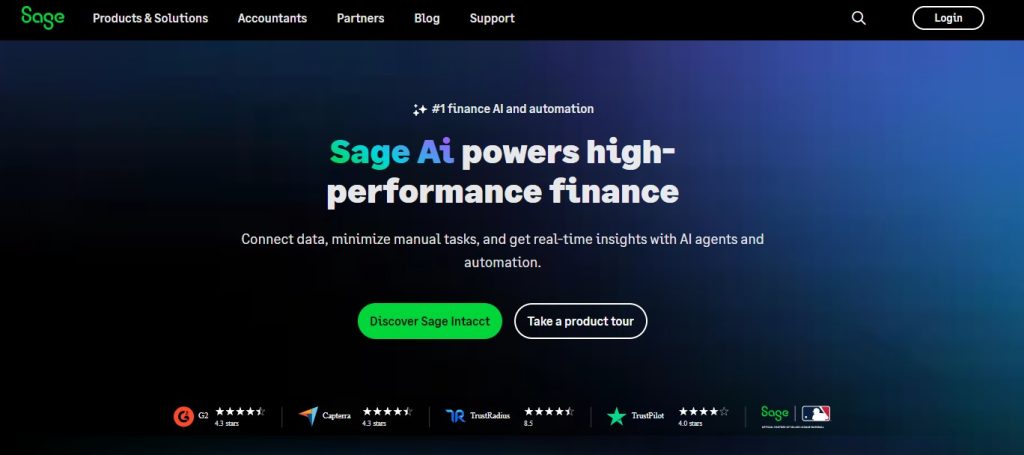
Cloud-based ERP built for companies outgrowing QuickBooks. Sage Intacct delivers multi-dimensional reporting, multi-entity consolidation, and ASC 606 compliance. It’s ideal for SaaS businesses with multiple subsidiaries, complex revenue streams, and enterprise-grade financial reporting requirements.
Key Features:
- Multi-dimensional general ledger with unlimited custom dimensions
- Automated revenue recognition with ASC 606 support
- Multi-entity and multi-currency consolidation
- Native Salesforce, Bill.com, and Avalara integrations
- Real-time dashboards and financial reporting
Pros:
- Exceptional multi-entity support for global SaaS operations
- Dimensional reporting eliminates complex Excel pivot analysis
- Scales smoothly from $5M to $100M+ ARR
Cons:
- Steep learning curve; interface feels outdated to many users
- High cost: $20,000–$50,000 annually plus implementation fees
- Native SaaS metrics lag behind specialized tools like Maxio
Best for: Mid-market SaaS companies with $5M–$50M ARR
Pricing: $25,000–$50,000/year plus $20,000–$35,000 implementation
Oracle NetSuite
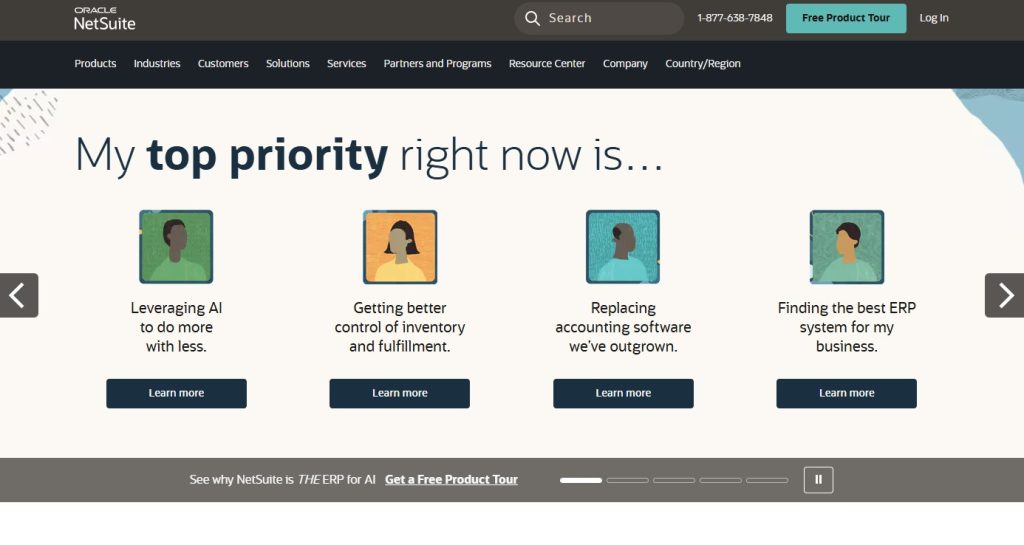
Full-stack cloud ERP covering finance, CRM, inventory, and operations. NetSuite OneWorld handles 190+ countries with multi-subsidiary consolidation. Best for enterprises needing one unified platform across all business functions rather than multiple disconnected systems.
Key Features:
- Unified ERP covering financials, CRM, and operations
- Advanced revenue recognition for complex contracts
- Multi-subsidiary and multi-currency with NetSuite OneWorld
- AI-powered automation and intelligent workflows
- Extensive SuiteScript customization capabilities
Pros:
- Single source of truth across sales, finance, and operations
- Exceptional global and multi-entity management capabilities
- Regular platform updates included in subscription price
Cons:
- Total first-year cost often exceeds $50,000–$200,000
- Implementation takes 4–12 months minimum
- Massive overkill for companies under $25M ARR
Best for: Enterprise SaaS companies with $25M+ ARR
Pricing: Base from $999/month; total annual cost $30,000–$100,000+
QuickBooks Online
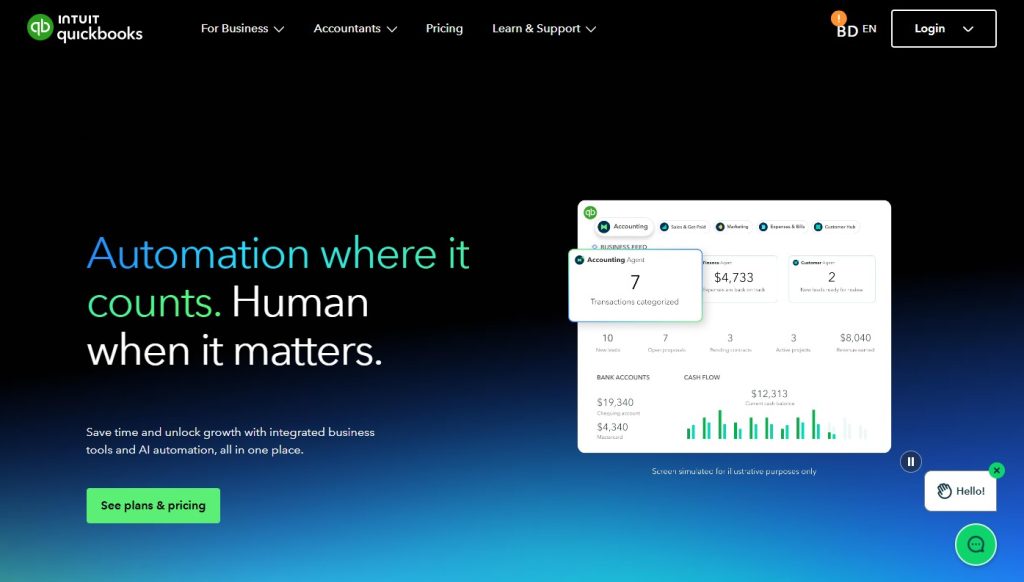
Most popular small business accounting software in the U.S. Not built for SaaS, but works adequately for early-stage startups with basic subscription needs. Pair with revenue recognition add-ons like Synder or Subscript for temporary functionality until you scale.
Key Features:
- Cloud-based general ledger and double-entry bookkeeping
- Automated bank feeds and transaction reconciliation
- Basic invoicing with Stripe and PayPal integration
- 650+ third-party app integrations
- Mobile apps for iOS and Android
Pros:
- Affordable entry point at $30–$200/month base price
- Minimal learning curve with quick setup
- Massive ecosystem of familiar bookkeepers and accountants
Cons:
- No native revenue recognition or ASC 606 compliance
- Manual spreadsheets needed for deferred revenue tracking
- You will outgrow it within 12–18 months of scaling
Best for: Early-stage SaaS startups under $500K ARR
Pricing: $80–$400/month including revenue recognition add-ons
Xero
Clean, modern cloud accounting platform popular globally. Xero outperforms QuickBooks on interface design and multi-currency support across 160+ currencies. Best for international SaaS startups needing solid accounting with great UX before upgrading to specialized platforms.
Key Features:
- Support for 160+ currencies with automatic exchange rates
- Automated bank feeds with intelligent reconciliation
- Professional invoicing and accounts receivable management
- 1,000+ marketplace app integrations
- Comprehensive custom financial reporting
Pros:
- Superior multi-currency support versus QuickBooks
- Cleanest, most intuitive interface among basic accounting tools
- Strong global support especially outside the United States
Cons:
- No native subscription revenue recognition capabilities
- Requires third-party tools for SaaS metrics and deferred revenue
- Less established in U.S. market with fewer local accountants
Best for: International SaaS startups with multi-currency needs
Pricing: $78–$235/month base; total $150–$400/month with add-ons
Zoho Books
Affordable cloud accounting from the Zoho ecosystem. Best value when your team uses Zoho CRM, Zoho Invoice, or other Zoho products. Customer data flows seamlessly across tools, reducing manual entry for small SaaS teams with simple recurring revenue needs.
Key Features:
- Cloud accounting with invoicing and expense management
- Automated bank feeds and transaction reconciliation
- Seamless integration with entire Zoho product suite
- Multi-currency support for international transactions
- Mobile app for on-the-go financial management
Pros:
- Free plan available for businesses under $50K annual revenue
- Tight Zoho ecosystem integration eliminates duplicate data entry
- Easy setup requiring minimal technical knowledge
Cons:
- No ASC 606 compliance or subscription revenue recognition
- Limited third-party integrations compared to QuickBooks or Xero
- Companies outgrow it quickly as recurring revenue scales
Best for: Small SaaS businesses already using Zoho CRM
Pricing: Free to $275/month depending on features and transaction volume
How to Choose the Right Accounting Software for Your SaaS Company
Choosing accounting software impacts your operations for years. Get it wrong and you face expensive migrations, compliance issues, and constant manual workarounds.
Here’s my battle-tested framework from implementing systems across dozens of SaaS companies.
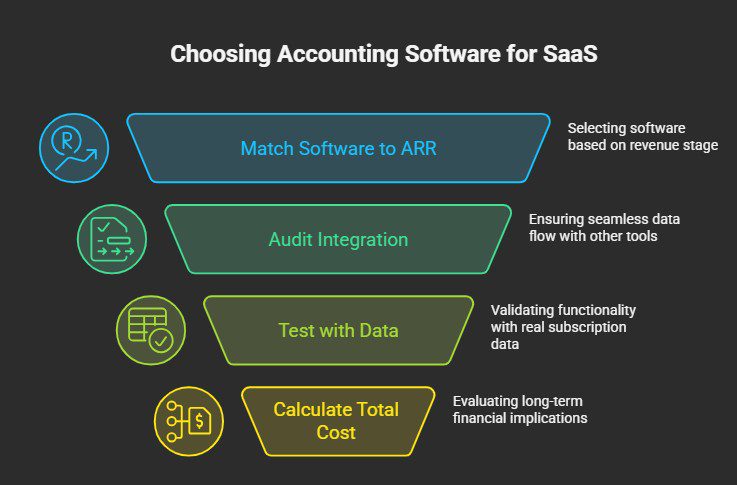
Step 1: Match Software to Your ARR Stage
- Pre-$500K ARR: Use QuickBooks or Xero with revenue recognition add-ons. Keep costs low while validating product-market fit.
- $500K–$5M ARR: Move to Maxio. Manual processes break down completely at this scale.
- $5M–$25M ARR: Upgrade to Sage Intacct for multi-entity support and enterprise-grade reporting.
- $25M+ ARR: Evaluate NetSuite for full ERP integration across finance, sales, and operations.
Step 2: Audit Your Integration Requirements
Your software must connect natively with your billing platform, CRM, payroll, banking, and expense tools. Native API integrations always beat third-party middleware. Zapier connections cause silent failures, duplicate transactions, and reconciliation nightmares.
Step 3: Test With Real Subscription Data
Never trust demos. Import three months of actual data and test mid-period upgrades, refunds, failed payments, and multi-year contracts before signing anything.
Step 4: Calculate Three-Year Total Cost
Monthly pricing is just the beginning. Include implementation fees ($5,000–$150,000), data migration, training, and ongoing support. The cheapest option almost always costs more long-term.
Common Implementation Mistakes to Avoid
I’ve made every possible implementation mistake. Here’s what to avoid:
Mistake 1: Waiting Too Long to Upgrade I stayed on QuickBooks until $2.5M ARR. The Maxio migration took four months and derailed our annual audit completely. Board meetings were delayed because we couldn’t produce reliable reports.
Upgrade before the pain becomes unbearable. If your finance team spends 8+ hours monthly on manual revenue recognition, you’ve already waited too long.
Mistake 2: Underestimating Implementation Cost License fees are just the starting point. Budget for consultants, data migration, training, and staff distraction.
Simple rule: double your initial time and cost estimates. For Sage Intacct specifically, expect to spend $1.00–$1.75 in implementation costs for every $1.00 of annual subscription fees.
Mistake 3: Choosing Based Only on Price The cheapest platform almost always costs more long-term. Hidden costs include manual workarounds, audit failures, error corrections, and damaged investor confidence from inconsistent numbers.
Calculate total cost of ownership over three years, not just monthly fees.
Mistake 4: Skipping Cross-Functional Buy-In Finance isn’t the only team affected. Sales, customer success, and revenue operations all pull reports and input data daily.
Involve representatives from every affected department before finalizing your decision.
Warning Signs: When to Upgrade Your SaaS Accounting Software
Watch for these clear indicators that you’ve outgrown your current system:
- Finance team spends 8+ hours monthly on manual revenue recognition.
- Month-end close consistently takes more than 5 business days.
- Can’t answer MRR, ARR, or churn questions without extensive Excel work.
- Board meetings reveal data inconsistencies across different reports.
- Investors question your financial reporting accuracy during fundraising.
- Auditors request excessive supporting documentation every review cycle.
- Team complains weekly about broken integrations or system limitations.
- Revenue recognition errors surface during quarterly or annual reviews.
- Billing operations struggle when adding new pricing models or product lines.
If you spot three or more of these warning signs, start evaluating alternatives now. Waiting until crisis mode makes migration harder, more expensive, and far more disruptive to your business.
Realistic Implementation Timelines by Platform
Based on actual deployments, not optimistic vendor estimates:
QuickBooks Online or Xero: 2–4 weeks Chart of accounts setup, bank connections, payment processor integration, data import, and team training. Add 1–2 weeks for revenue recognition app configuration.
Maxio: 8–16 weeks Data migration, revenue recognition configuration, billing integration, general ledger connection, team training, and parallel-run validation.
Sage Intacct: 12–24 weeks Dimensional structure design, custom report development, integration setup, historical data migration, and cross-department user training.
Oracle NetSuite: 16–40 weeks Full ERP implementation across financials, CRM, inventory, order management, extensive customization, and organization-wide change management.
Always add buffer time. Delays typically come from data quality issues, integration complications, scope creep, and staff availability during busy periods.
Making the Right Choice for Your SaaS Company
The right accounting software shapes your financial operations, compliance capabilities, and scalability for years. Choose wisely and your finance team runs efficiently, investors trust your numbers, and growth stays on track. Choose poorly and you face constant workarounds, expensive migrations, and compliance headaches.
Key takeaways:
- Start with QuickBooks or Xero before $500K ARR
- Upgrade to Maxio between $500K–$5M ARR
- Move to Sage Intacct above $5M ARR
- Reserve NetSuite for enterprise needs above $25M ARR
- Always prioritize native integrations over lowest price
- Implementation always takes longer and costs more than estimated
- Upgrade before the pain becomes unbearable, not after
Match software to your ARR stage, test with real data, and calculate three-year total cost before deciding.
The best time to upgrade was six months ago. The second-best time is today.
Build a World-Class SaaS Tech Stack
Accounting software represents just one critical component of your comprehensive SaaS technology ecosystem. At The Tool Marketer, we specialize in helping SaaS companies build efficient, scalable operations with the right software tools, integrations, and implementation strategies.
From accounting platforms to CRM systems, marketing automation, customer success tools, and project management, we provide expert guidance on assembling tech stacks that actually work together seamlessly. Visit our comprehensive resource library today and transform how your team operates. Your future finance team will thank you.
Frequently Asked Questions
What makes SaaS accounting different from traditional business accounting?
SaaS companies must spread subscription revenue across service periods under ASC 606. Traditional businesses recognize revenue immediately at sale without tracking deferred revenue or subscription metrics like MRR and churn.
Can I use QuickBooks for my SaaS company?
Yes, for under $500K ARR with revenue recognition add-ons. Expect significant manual work. Plan to upgrade to specialized software like Maxio within 12–18 months as subscription complexity increases.
How much does SaaS accounting software cost?
QuickBooks runs $80–$400/month. Maxio costs $500–$2,000/month. Sage Intacct averages $25,000–$50,000 annually. NetSuite commonly exceeds $100,000 annually. Implementation costs often equal or exceed first-year licensing fees.
What is ASC 606 and why does it matter?
ASC 606 requires recognizing subscription revenue ratably over the service period, not upfront. It creates deferred revenue on your balance sheet. Compliance is mandatory for public companies and funded startups.
When should I upgrade from QuickBooks?
Upgrade at $500K–$1M ARR, when manual work exceeds 8 hours monthly, before fundraising rounds, or when month-end close consistently takes more than 5 business days to complete.
Which software is best for early-stage SaaS startups?
QuickBooks or Xero paired with Synder or Subscript works well under $500K ARR. Both keep costs low during product validation. Plan to upgrade once you achieve product-market fit.
How long does implementation take?
QuickBooks takes 2–4 weeks. Maxio needs 8–16 weeks. Sage Intacct requires 12–24 weeks. NetSuite takes 16–40 weeks. Always add buffer time for data issues and integration complications.
Do I need separate billing and accounting software?
Yes. Billing platforms like Stripe or Chargebee handle payments and invoicing. Accounting software handles revenue recognition and compliance. Strong native integration between both systems is absolutely essential.
What SaaS metrics should my accounting software track?
MRR, ARR, NRR, GRR, CLV, CAC, churn rate, and expansion revenue. All metrics should update automatically as subscriptions change without requiring manual spreadsheet calculations or separate analytics tools.
Share