
Choosing between free and paid keyword research tools can significantly impact your SEO strategy.
I learned this the hard way when I lost a $12,000 client. For six months, I relied exclusively on free tools like Google Keyword Planner and Ubersuggest. The search volume ranges were vague, competitive data was missing, and I was targeting keywords that barely drove traffic.
When my client showed me competitor analysis from another agency, the difference was shocking. They used paid tools revealing precise search volumes, competitive gaps, and ranking opportunities I couldn’t see.
That expensive mistake taught me something: the free vs paid keyword research tools debate isn’t about budget. It’s about whether you’re serious about results.
After testing both free and paid keyword research tools over five years, I’m sharing everything you need to know to make the right choice for your situation.
Whether you should invest in paid tools depends on your goals, budget, and publishing frequency. Let’s dive in.
Free vs Paid Keyword Research Tools
Before diving deep, here’s a quick overview:
| Tool Name | Type | Price |
|---|---|---|
| Google Keyword Planner | Free | $0 |
| Ubersuggest | Free | $0 (limited) |
| AnswerThePublic | Free | $0 |
| Google Trends | Free | $0 |
| Google Autocomplete | Free | $0 |
| KeywordTool.io | Free | $0 (limited) |
| SEMrush | Paid | $139.95/month |
| Ahrefs | Paid | $99/month |
| Moz Pro | Paid | $99/month |
| KWFinder | Paid | $49/month |
| Serpstat | Paid | $59/month |
What Are Keyword Research Tools and Why Do They Matter?
Keyword research tools help you discover what people are actually searching for on Google, Amazon, YouTube, and other platforms. They show you search volume, competition level, ranking difficulty, and related keyword opportunities.
Here’s why keyword research matters in 2026. The right keywords connect your content with people actively searching for what you offer, driving targeted traffic rather than random visitors. Knowing what people search for helps you plan topics that actually matter to your audience, informing your entire content strategy. Using targeted keywords makes it easier for Google to understand and rank your content, improving your search rankings. Keywords with buying intent bring people ready to make decisions, increasing conversions.
The question isn’t whether you need keyword research. You absolutely do. The real question is: should you use free tools or invest in paid ones?
What Are the Best Free Keyword Research Tools?
Free keyword research tools provide fundamental insights without requiring any financial investment. They’re perfect for beginners, small businesses with tight budgets, or anyone testing SEO strategies.
Google Keyword Planner

Google Keyword Planner is the most popular free option. You need a Google Ads account to access it, but you don’t need to run campaigns. It provides keyword ideas, search volume estimates, and competition data useful for both SEO and PPC planning.
Key Features:
- Keyword ideas based on your seed keywords
- Search volume ranges (not exact numbers)
- Competition level for Google Ads
- Historical statistics and forecasts
- Filter by location and language
Pros:
- Completely free to use
- Data directly from Google
- No daily search limits
- Great for PPC and SEO planning
Cons:
- Requires Google Ads account
- Shows volume ranges (1K-10K), not precise numbers
- Limited without active ad campaigns
- No competitive keyword analysis
Pricing: Free
Best For: Beginners learning keyword research, PPC advertisers, and those validating basic keyword ideas.
Ubersuggest (Free Version)
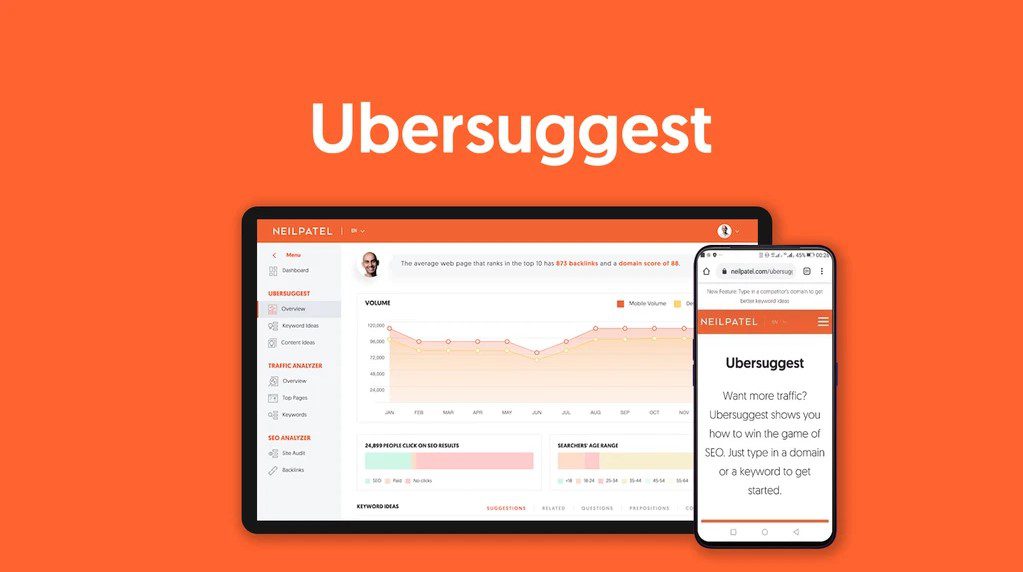
Ubersuggest offers a limited free version providing keyword suggestions, difficulty scores, and basic competitor data. Created by Neil Patel, it has a user-friendly interface, making keyword research accessible for beginners. The free version allows 3 searches per day.
Key Features:
- Keyword suggestions with search volume
- SEO difficulty score
- Content ideas from top-ranking pages
- Basic backlink data
- Domain overview
Pros:
- User-friendly interface
- Shows keyword difficulty scores
- Provides content ideas
- Basic competitor insights
Cons:
- Limited to 3 searches per day (free version)
- Less accurate than premium tools
- Requires email signup for full access
- Limited historical data
Pricing: Free (limited) | Pro: $29/month
Best For: Bloggers and small businesses doing occasional keyword research with budget constraints.
AnswerThePublic

AnswerThePublic generates question-based keywords perfect for blog content. It visualizes the questions people ask about your topic in a unique wheel format, helping you create content that directly answers search queries without revealing exact search volumes.
Key Features:
- Question-based keyword visualization
- Preposition and comparison keywords
- Alphabetical keyword lists
- Visual search cloud format
- Multiple language support
Pros:
- Excellent for content ideation
- Visual presentation of data
- Great for FAQ and blog topics
- Shows search intent clearly
Cons:
- No search volume data
- Limited free searches per day
- Requires email to download results
- No competitive analysis
Pricing: Free (2 searches/day) | Pro: $99/month
Best For: Content creators and bloggers looking for question-based keywords and topic ideas.
Google Trends
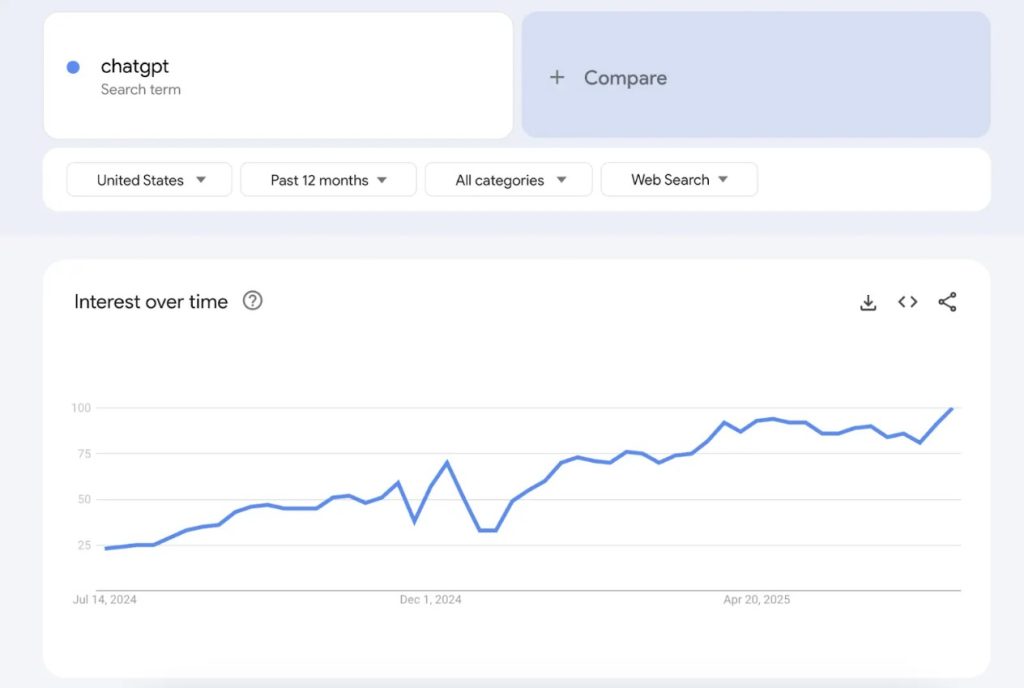
Google Trends shows whether keywords are growing or declining over time. You can compare multiple keywords simultaneously to see which topics are gaining or losing traction. The tool provides geographic data showing where searches are most popular.
Key Features:
- Trend direction over time
- Compare up to 5 keywords
- Geographic interest data
- Related queries and topics
- Real-time search trends
Pros:
- Completely free
- Shows trend direction
- Great for seasonal analysis
- Real-time trending data
Cons:
- No exact search volumes
- Relative data only (not absolute numbers)
- Limited keyword suggestions
- No difficulty metrics
Pricing: Free
Best For: Identifying seasonal trends, comparing keyword popularity, and spotting rising topics.
Google Autocomplete
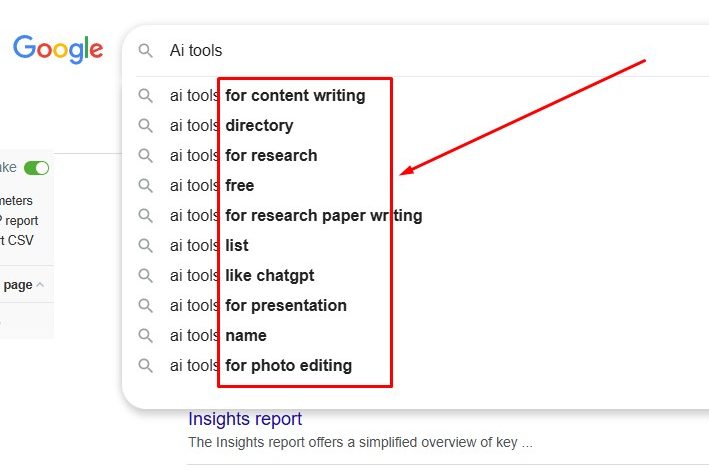
Google Autocomplete reveals what people are actually typing into Google right now. These real-time suggestions often uncover keywords and search patterns that traditional research tools miss entirely. Start typing your seed keyword into Google’s search bar.
Key Features:
- Real-time search suggestions
- Based on actual user queries
- Works across all devices
- Location-specific suggestions
- Completely free and unlimited
Pros:
- 100% free with no limits
- Real-time search data
- Reflects actual user behavior
- No account needed
Cons:
- Manual research required
- No search volume data
- Time-consuming process
- No export functionality
Pricing: Free
Best For: Quick keyword validation and discovering real search queries without any tools.
KeywordTool.io (Free Version)
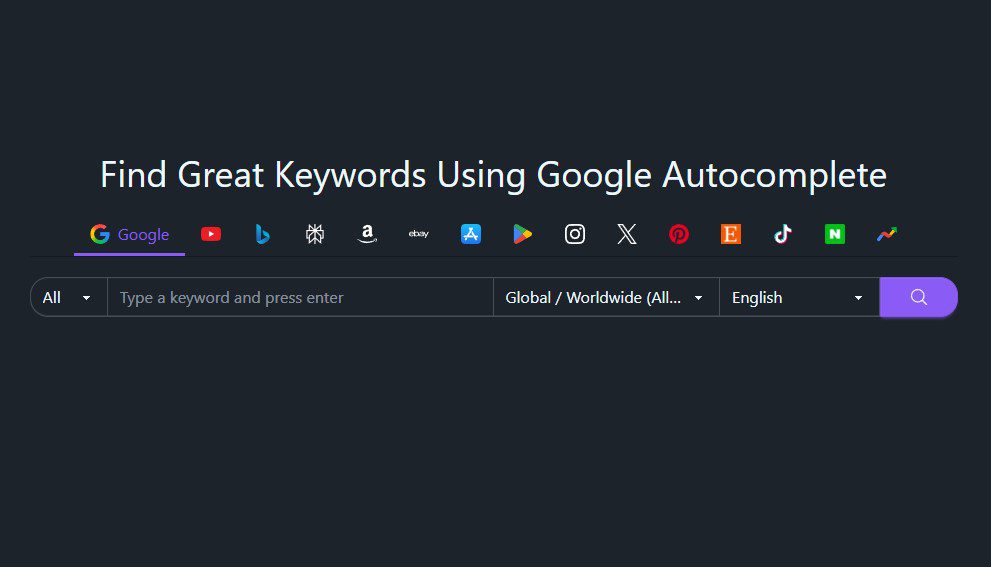
KeywordTool.io‘s free version generates up to 750 long-tail keyword suggestions from Google Autocomplete data. It works across multiple platforms, including Google, YouTube, Amazon, Instagram, and Bing. The free version doesn’t include search volume data or competition metrics.
Key Features:
- 750+ keyword suggestions
- Multi-platform support (Google, YouTube, Amazon, etc.)
- Question-based keywords
- Hashtag suggestions
- Alphabetical organization
Pros:
- Generates hundreds of suggestions
- Works across multiple platforms
- Long-tail keyword focus
- No daily limit on suggestions
Cons:
- No search volumes (free version)
- No competition data
- Requires upgrade for metrics
- Basic filtering options
Pricing: Free (limited) | Pro Basic: $69/month
Best For: Multi-platform content creators needing long-tail keyword ideas across different channels.
What Are the Best Paid Keyword Research Tools?
Paid keyword research tools provide comprehensive data, advanced features, and competitive intelligence that free tools can’t match.
SEMrush
SEMrush is one of the most comprehensive SEO platforms available, offering 25+ tools beyond just keyword research. The Keyword Magic Tool generates thousands of precise keyword suggestions, each with detailed metrics including search volume, keyword difficulty, and competitive density. Starting at $139.95 monthly, it includes position tracking, site audits, and backlink analysis.
Key Features:
- Keyword Magic Tool with 25+ billion keywords
- Keyword difficulty and CPC data
- Competitor keyword analysis
- Position tracking
- Site audit tools
- Content marketing toolkit
- Backlink analysis
Pros:
- Most comprehensive feature set
- Accurate search volume data
- Excellent competitor analysis
- All-in-one SEO platform
- Regular updates and new features
Cons:
- Expensive for beginners ($139.95/month)
- Steep learning curve
- Can be overwhelming with features
- Higher-tier plans needed for full access
Pricing:
- Pro: $139.95/month
- Guru: $249.95/month
- Business: $499.95/month
Best For: SEO agencies, professional marketers, businesses managing multiple websites, and serious content marketers.
Ahrefs

Ahrefs is famous for having the largest backlink database and exceptional competitive analysis capabilities. The Keywords Explorer provides access to over 10 billion keywords across 170+ countries with incredibly accurate search volume data. Ahrefs starts at $99 monthly and includes comprehensive site auditing and rank tracking.
Key Features:
- 10+ billion keyword database
- Keywords Explorer
- Content Gap analysis
- Rank Tracker
- Site Audit
- Largest backlink index (over 295 billion pages)
- SERP overview
Pros:
- Most accurate search volume data
- Best backlink analysis tool
- Excellent competitive research
- Clean, intuitive interface
- Powerful Content Gap feature
Cons:
- No free trial (7-day trial for $7)
- Expensive monthly cost
- Limited projects on lower tiers
- Steep learning curve for beginners
Pricing:
- Lite: $99/month
- Standard: $199/month
- Advanced: $399/month
- Enterprise: $999/month
Best For: SEO professionals focused on competitive analysis, link building, and comprehensive keyword research.
Moz Pro
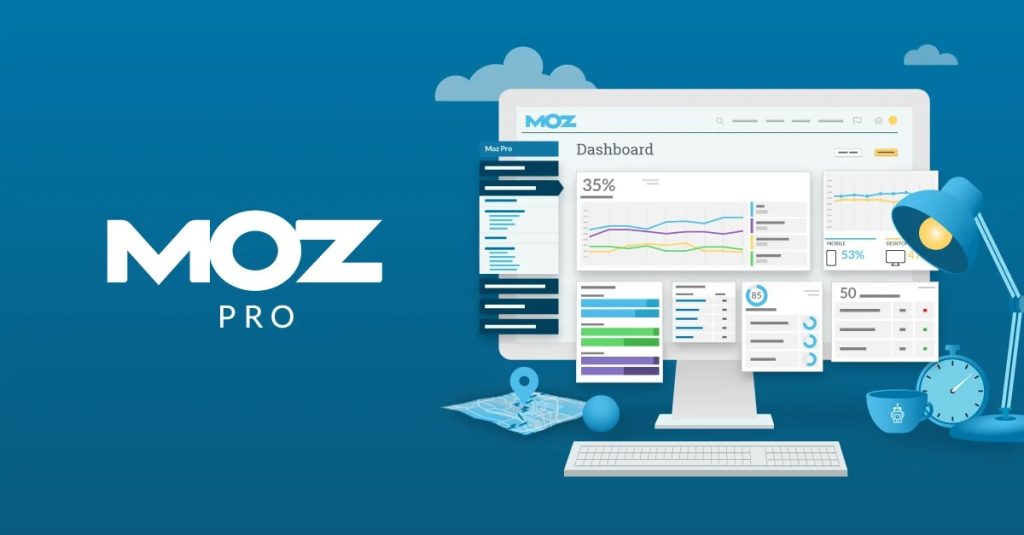
Moz Pro provides comprehensive keyword research through its Keyword Explorer tool, which includes a unique Priority Score metric to help identify the best keyword opportunities. The platform offers accurate search volumes, SERP analysis, and tracks over 500 million keywords. Starting at $99 per month, Moz is known for its excellent educational resources.
Key Features:
- Keyword Explorer with Priority Score
- Keyword difficulty and opportunity metrics
- SERP analysis
- Rank tracking
- Site crawl and audit
- Link research
- On-page optimization
Pros:
- User-friendly interface
- Excellent educational resources
- Priority Score helps with prioritization
- Strong community support
- Good for beginners to advanced
Cons:
- Smaller keyword database than competitors
- Less frequent updates
- Limited features on lower tiers
- Higher price for full access
Pricing:
- Standard: $99/month
- Medium: $179/month
- Large: $249/month
- Premium: $599/month
Best For: SEO beginners to intermediate users looking for a balanced, easy-to-use platform with strong educational support.
KWFinder
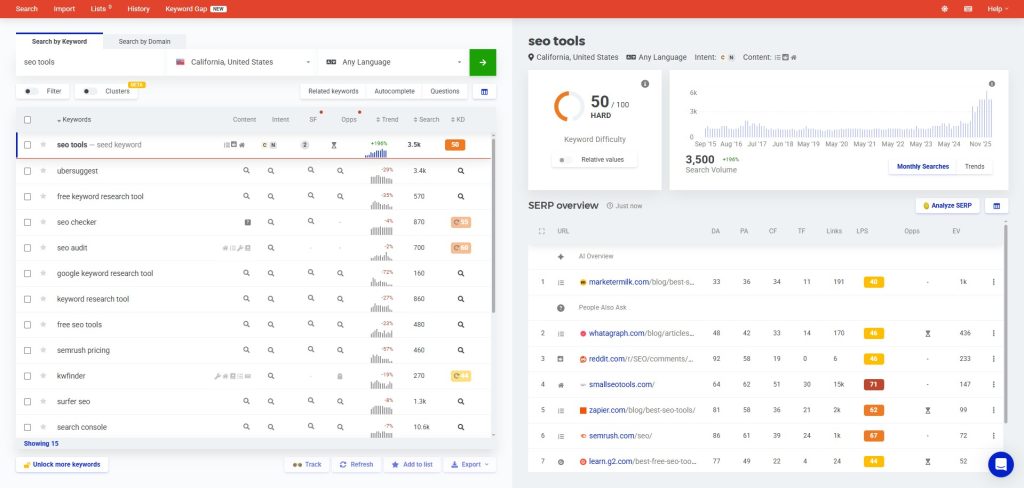
KWFinder focuses specifically on finding long-tail keywords with low SEO difficulty, making it perfect for newer websites and bloggers. Part of the Mangools suite, it provides accurate keyword difficulty scores, SERP analysis, and search volume trends. Starting at just $49 monthly, KWFinder offers excellent value for budget-conscious SEOs.
Key Features:
- Long-tail keyword finder
- Accurate SEO difficulty scores
- SERP overview with metrics
- Search volume trends
- Location-based searches
- Rank tracking
- Competitor keyword analysis
Pros:
- Most affordable premium tool
- Excellent keyword difficulty accuracy
- Clean, simple interface
- Great for finding low-competition keywords
- Includes 4 other Mangools tools
Cons:
- Smaller keyword database
- Limited daily searches on basic plan
- Less comprehensive than SEMrush/Ahrefs
- Fewer advanced features
Pricing:
- Mangools Basic: $49/month
- Mangools Premium: $69/month
- Mangools Agency: $129/month
Best For: Bloggers, small businesses, and new websites looking for low-competition, long-tail keywords on a budget.
Serpstat
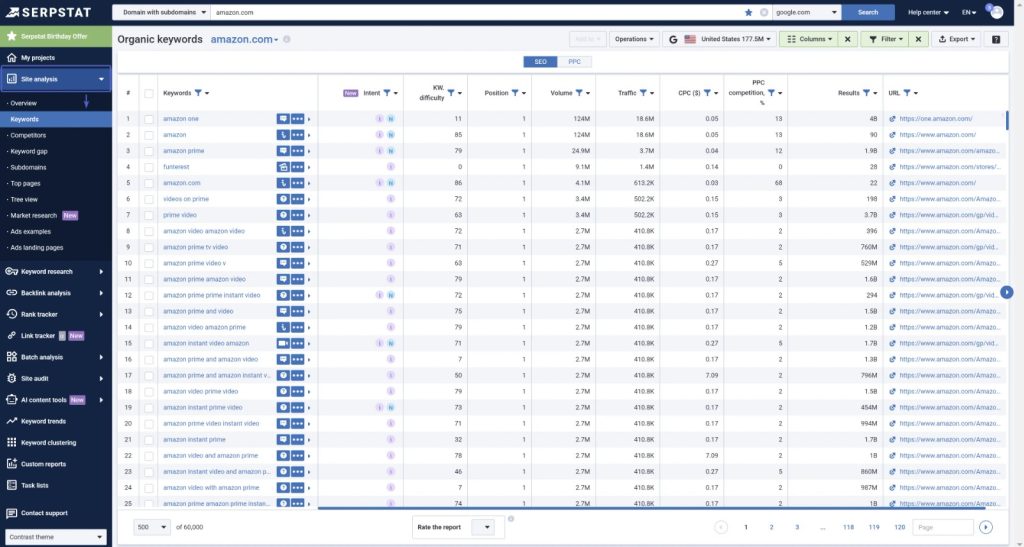
Serpstat offers an affordable all-in-one SEO platform including keyword research, competitor analysis, rank tracking, site auditing, and backlink analysis. The Missing Keywords feature is handy, showing you keywords your competitors rank for that you don’t. Starting at $59 per month, Serpstat offers a cost-effective alternative.
Key Features:
- Keyword research and clustering
- Missing Keywords feature
- Competitor analysis
- Rank tracking
- Site audit
- Backlink analysis
- PPC analysis
Pros:
- Most affordable all-in-one platform
- Missing Keywords feature is unique
- Good data accuracy
- Multiple tools in one platform
- Regular feature updates
Cons:
- Smaller database than top competitors
- Less intuitive interface
- Limited customer support
- Slower data processing
Pricing:
- Lite: $59/month
- Standard: $119/month
- Advanced: $239/month
- Enterprise: $479/month
Best For: Small to medium businesses looking for an affordable alternative to SEMrush with solid all-around features.
Conclusion
The free vs paid debate isn’t about which is better in absolute terms. It’s about which matches your current situation, goals, and resources.
Free tools are genuinely useful for beginners, small budgets, and low-volume publishing. Paid tools become essential when you’re serious about SEO as a growth channel.
Don’t feel guilty starting with free tools, but don’t stay there out of stubborn frugality when it’s holding you back.
Start where you are. Use free tools to learn and validate. Upgrade when data shows it makes sense. Let results drive decisions.
The right tool is the one that helps you make better content decisions and grow your traffic consistently.
Here are some helpful guides for your keyword research:
For e-commerce businesses, especially Amazon sellers, specialized tools are essential. I covered these in my guide on the best e-commerce keyword research tools.
For complete tool breakdowns, check my guide on the best keyword research tools for SEO.
Frequently Asked Questions
Can I rank well using only free keyword research tools?
Yes, many successful blogs started with entirely free tools. The limitation is the efficiency with which opportunities are identified. Free tools work but require more manual analysis.
Which paid tool should I choose first?
Start with SEMrush or Ahrefs. SEMrush offers more features beyond keyword research. Ahrefs excels at competitive analysis. KWFinder is the best budget option at $49/month.
How long should I use free tools before upgrading?
Give yourself at least 2-3 months to learn fundamentals. If you’re seeing traffic growth after that period, consider upgrading.
How do I calculate ROI on keyword research tools?
Track organic traffic and conversions from content created using the tool. If a $139/month subscription helps create content that generates 5,000 monthly visitors at $0.50 each, that’s $2,500 in monthly value from a $139 investment.
Can I share paid tool subscriptions with team members?
Check the tool’s terms of service. Some plans explicitly allow multiple users. Most platforms offer team plans at higher price tiers.