I still remember the day I lost 47 high-quality backlinks overnight. No warning. No email alert. Just gone. My rankings dropped like a rock. Traffic fell 38% in two weeks. And the worst part? I had no idea which links I lost or why. That painful lesson taught me something every SEO professional learns eventually: building backlinks is only half the battle. The other half is monitoring them like a hawk.
If you’re reading this, backlinks matter. They’re one of Google’s top three ranking factors. But here’s what most people miss: even the best links can disappear, turn toxic, or lose their value over time. In this guide, I’ll walk you through the 13 best backlink monitoring tools for 2026. I’ve tested each one personally. I’ll show you which ones are worth your money, which free tools actually work, and how to choose the right one for your needs.
Whether you’re a solo freelancer, running an agency, or just getting started with SEO, I’ve got you covered.
Let’s dive in.
Why Should You Monitor Your Backlinks in 2026?
Here’s the truth: your backlink profile is not a “set it and forget it” asset.
Links disappear. Sites get hacked. Content gets deleted. Domain owners change their minds.
I’ve seen it all. And so have thousands of other SEO pros.
Think about it this way: if you spent $500 building 10 quality backlinks, wouldn’t you want to know if half of them vanished? Or if someone added a nofollow tag to your dofollow link?
Here’s what happens when you don’t monitor your backlinks:
You lose hard-earned links without knowing. Websites redesign their pages. Content gets removed. Your carefully placed link? Gone. And you won’t know until your rankings tank.
Toxic links pile up in the shadows. Spammy sites link to you. Your competitor runs a negative SEO attack. Google’s algorithm update hits. Suddenly, your clean profile is polluted.
Your competitors steal your link opportunities. That publisher who linked to you last month? They just linked to your competitor, too. If you had been monitoring, you could’ve strengthened that relationship.
Your anchor text distribution goes haywire. Too many exact-match anchors? Google penalty. Too many branded anchors? Missed ranking opportunities. You need balance, and monitoring shows you where you stand.
Look, I get it. Monitoring sounds tedious.
But here’s the good news: the right tool automates 90% of the work. You set it up once, and it watches your back 24/7.
One of my agency clients increased their domain authority from 31 to 48 in eight months, primarily because we caught and replaced lost links before they hurt rankings.
That’s the power of consistent monitoring.
What Features Should You Look for in a Backlink Monitor Tool?
Not all backlink monitoring tools are created equal.
Some give you basic data and call it a day. Others flood you with metrics you’ll never use.
After testing over 20 tools in the past three years, here’s what actually matters:
Real-Time or Daily Alerts
Speed matters. The sooner you know about a broken link, the sooner you can fix it.
Top tools send you email or Slack notifications when:
- New backlinks appear
- Existing links disappear
- Links change from dofollow to nofollow
- Anchor text gets modified
I prefer tools that check daily at a minimum. Real-time is even better.
Comprehensive Link Metrics
You need more than just a link count.
Good tools show you:
- Domain Authority (DA) or Domain Rating (DR)
- Page Authority (PA)
- Spam Score
- Trust Flow and Citation Flow
- Dofollow vs nofollow ratio
- Anchor text distribution
- Link placement (footer, sidebar, content)
- First seen and last seen dates
These metrics help you prioritize which links to nurture and which to disavow.
Competitor Backlink Tracking
Here’s a secret weapon: monitor your competitors’ backlinks too.
When your competitor gains a new link, that’s a golden opportunity for you. Reach out to the same publisher. Offer better content. Get your own link.
The best tools let you track 5-10 competitor domains alongside your own.
Historical Data and Trends
A snapshot of today’s links is helpful. A 12-month trend chart is powerful.
You want to see:
- Link velocity (how fast you’re gaining links)
- Seasonal patterns
- Which link-building campaigns actually worked
- Long-term profile of health
Historical data turns guesswork into strategy.
White-Label Reports for Agencies
If you’re an agency, this is non-negotiable.
Your clients don’t care about tool names. They care about results.
Look for tools that let you:
- Add your logo to reports
- Customize report layouts
- Schedule automated monthly reports
- Export data in PDF or CSV
I’ve used this feature to win three new agency clients in the past year alone.
How Often Should You Check Your Backlinks?
This is one of the most common questions I get.
The answer depends on your situation:
If you’re actively building links: Check daily. You want to see results from your outreach campaigns as they happen.
If you have an established site, Weekly checks work fine. Set up automated alerts for significant changes.
If you’re maintaining, Monthly reviews are enough. Focus on big-picture trends.
Here’s my personal routine: I set up automated daily alerts for my top clients. Then I do a deep manual review once a month to spot patterns the tools might miss.
The key is consistency. Pick a schedule and stick to it.
What’s the Best Backlink Monitoring Tool Overall?
After testing dozens of tools, here’s my honest take:
For most SEO professionals and agencies: Ahrefs or SEMrush. They’re expensive but worth it if you need comprehensive SEO suites.
For dedicated backlink monitoring: Linkody. It does one thing really well and costs way less.
For beginners on a budget: Start with Google Search Console (free) + a trial of Ahrefs.
For freelancers: SE Ranking offers the best balance of price and features.
Now let’s break down each tool in detail.
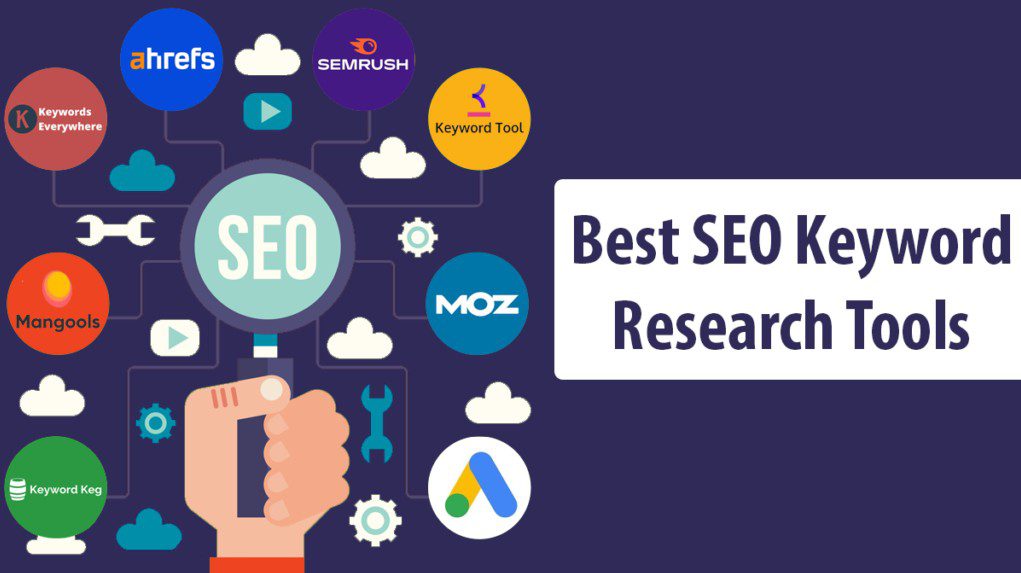
What Are the Best Backlink Monitoring Tools for 2026?
1. Ahrefs – Best All-Around SEO Suite with Powerful Backlink Monitoring
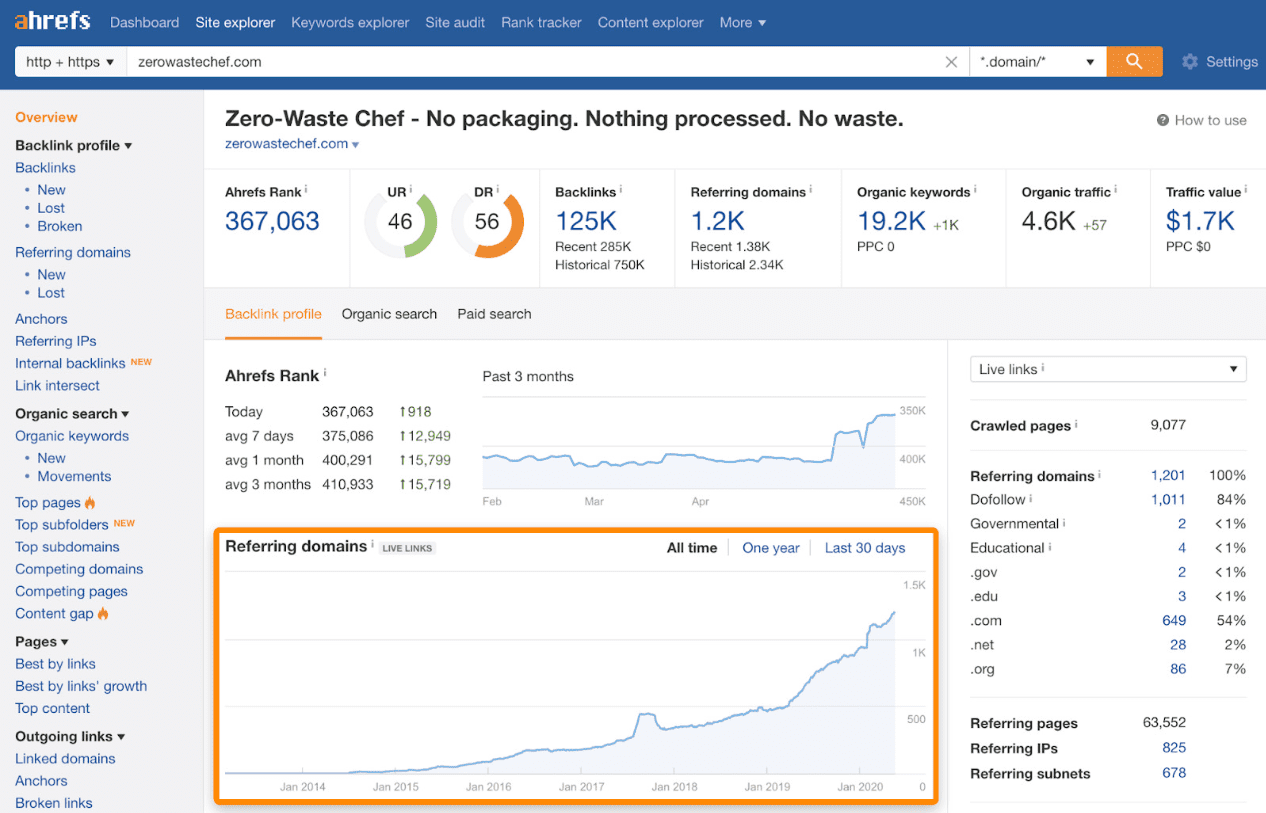
Ahrefs is the tool I use every single day.
It’s not just a backlink monitor. It’s a complete SEO powerhouse. But its backlink features are industry-leading.
What I love about Ahrefs:
The database is massive. Ahrefs crawls over 8 billion pages every 24 hours. That means you see new backlinks faster than almost any other tool.
Their Site Explorer shows you:
- Total backlinks and referring domains
- New and lost links with exact dates
- Referring domains sorted by DR
- Anchor text distribution
- Backlink growth over time
The “Alerts” feature is a game-changer. Set it up once, and Ahrefs emails you whenever:
- Someone links to your site
- You lose a backlink
- Your competitors gain new links
- Specific keywords rank higher
One of my clients discovered that a competitor was getting links from a specific industry directory. We signed up too and landed 12 high-DR links in one month.
What could be better:
Price. Ahrefs starts at $129/month for the Lite plan. Agencies need the Standard plan ($249/month) or higher.
The credit system can be confusing. Heavy users burn through credits fast.
Best for: SEO agencies, in-house teams, and serious freelancers who need comprehensive data.
Pricing: $129-$999/month depending on plan.
Pro tip: Use the “Best by links” report to find your most valuable pages. Double down on promoting those.
2. SEMrush – Complete Marketing Suite with Advanced Backlink Analytics
SEMrush is Ahrefs’ main competitor, and honestly, it’s neck-and-neck.
I use SEMrush when I need deeper competitor research and content marketing features. The backlink tools are excellent, too.
What makes SEMrush special:
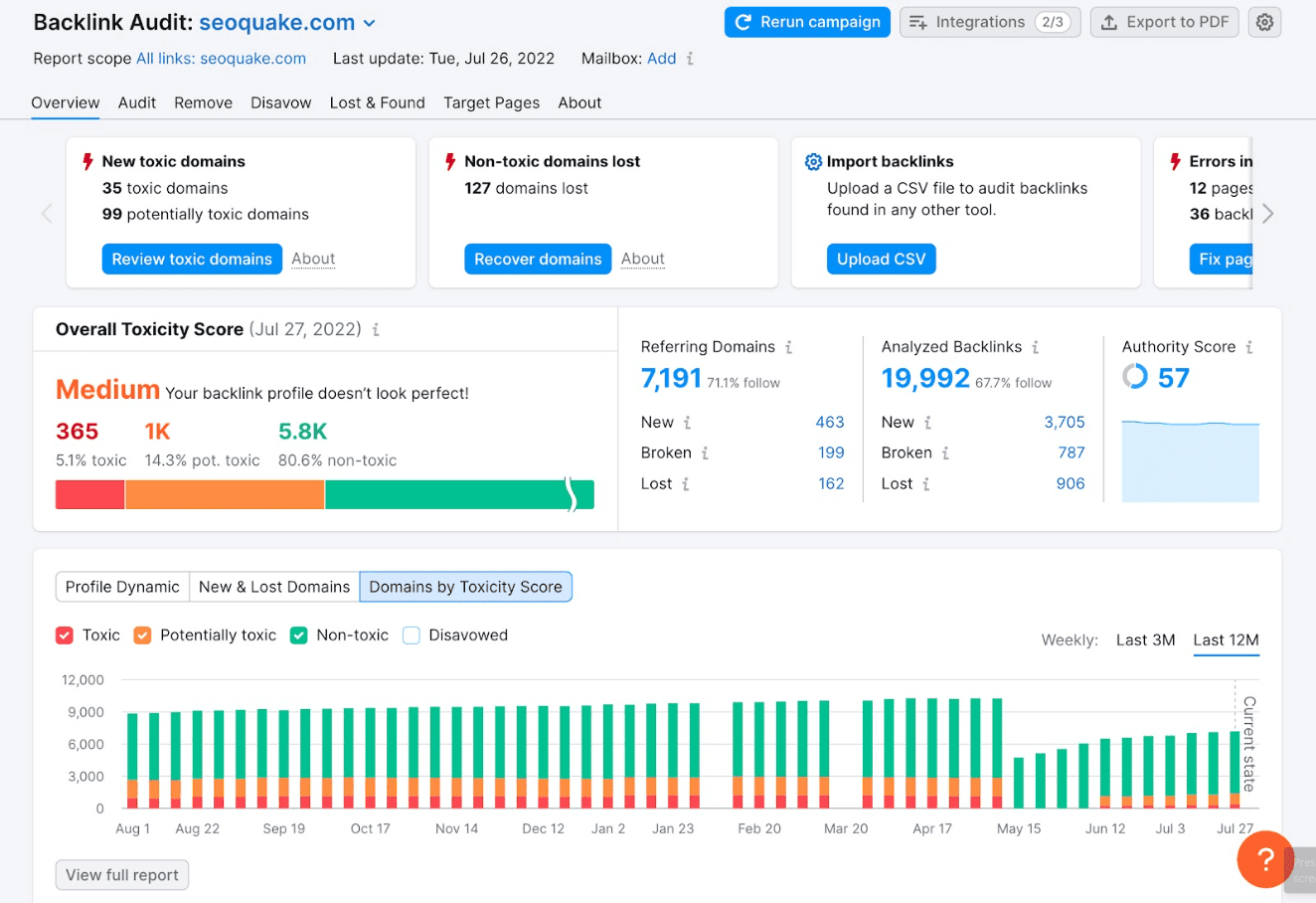
The Backlink Audit tool automatically finds toxic links. It gives each link a “Toxic Score” from 0 to 100. Links above 45? Time to disavow.
I’ve saved clients from manual penalties using this feature. One e-commerce client had 230 toxic links we discovered and disavowed before Google noticed.
SEMrush updates its index every 15 minutes. That’s nearly real-time monitoring.
The Backlink Gap tool is brilliant. Enter your domain plus three competitors. SEMrush shows you links they have that you don’t—instant outreach list.
The downsides:
The interface is cluttered. New users get overwhelmed fast.
Pricing starts at $139.95/month. Not cheap for solo operators.
Best for: Marketing agencies running multiple SEO and content campaigns.
Pricing: $139.95-$499.95/month.
Pro tip: Use the “Link Building Tool” inside SEMrush to find outreach prospects. It even includes email addresses.
3. Linkody – Best Dedicated Backlink Monitoring Tool
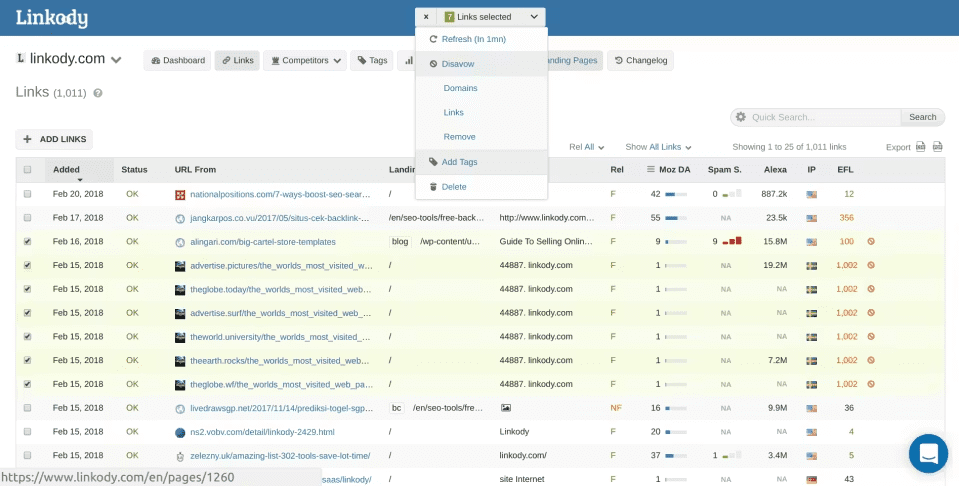
Linkody does one thing: monitor backlinks. And it does it exceptionally well.
This is my go-to recommendation for people who already have other SEO tools but need better link monitoring.
Why I recommend Linkody:
It’s simple. No confusing features. No overwhelming dashboards. Just clean, precise backlink data.
Daily automated checks. Linkody crawls your backlinks every 24 hours and emails you a summary.
The disavow file generator is beautiful. One click, and you have a Google-ready disavow file.
White-label reports for agencies. Add your logo, customize colors, and send to clients. Done.
Competitor tracking is built in. Monitor up to 5 competitor domains on the basic plan.
I love that Linkody integrates with Google Search Console. It pulls GSC data and combines it with its own index for complete coverage.
The limitations:
It only monitors backlinks: no keyword tracking, no content tools, no site audits.
The link database is smaller than Ahrefs or SEMrush.
Best for: Link builders, agencies, freelancers who want affordable dedicated monitoring.
Pricing: $14.90- $124.90/month, depending on the number of domains tracked.
Pro tip: Set up Slack notifications instead of email. Get instant alerts when links change.
4. Moz Link Explorer – Best for DA-Focused Link Building
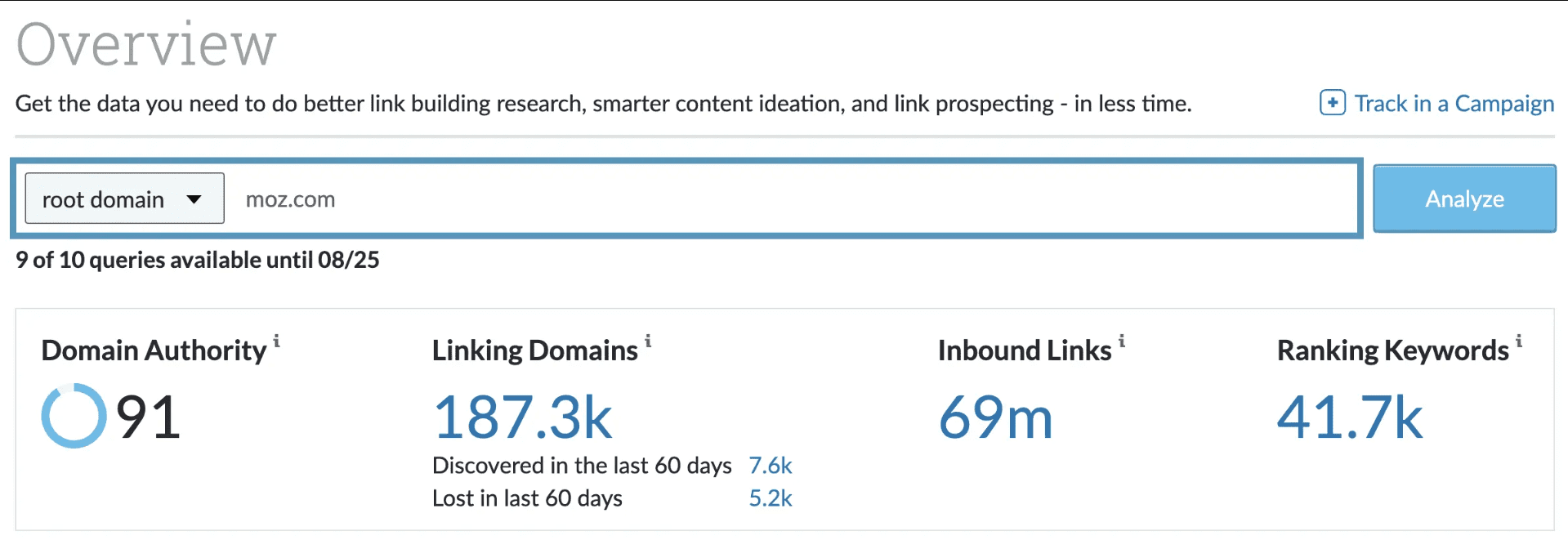
Moz pioneered link metrics with Domain Authority, and their Link Explorer is still excellent in 2026.
If your clients or team care about DA (and most do), Moz is essential.
What Moz does well:
Spam Score is super accurate. Moz flags potentially harmful links better than most tools.
The link comparison feature is excellent. Compare your profile to your competitors side by side.
Moz’s index is smaller than Ahrefs or SEMrush, but it’s spotless. Less noise, more quality data.
I use Moz primarily for competitor analysis. Their “Link Intersect” tool shows sites linking to multiple competitors but not to you.
Where Moz falls short:
Updates are slower. New links take longer to appear in Moz compared to Ahrefs.
The interface feels dated compared to newer tools.
Best for: SEO professionals who prioritize DA metrics and clean data.
Pricing: $99-$599/month. Free account available with limited features.
Pro tip: Use Moz’s free backlink checker to vet potential link sources before outreach.
5. Majestic – Best for Trust Flow and Citation Flow Metrics
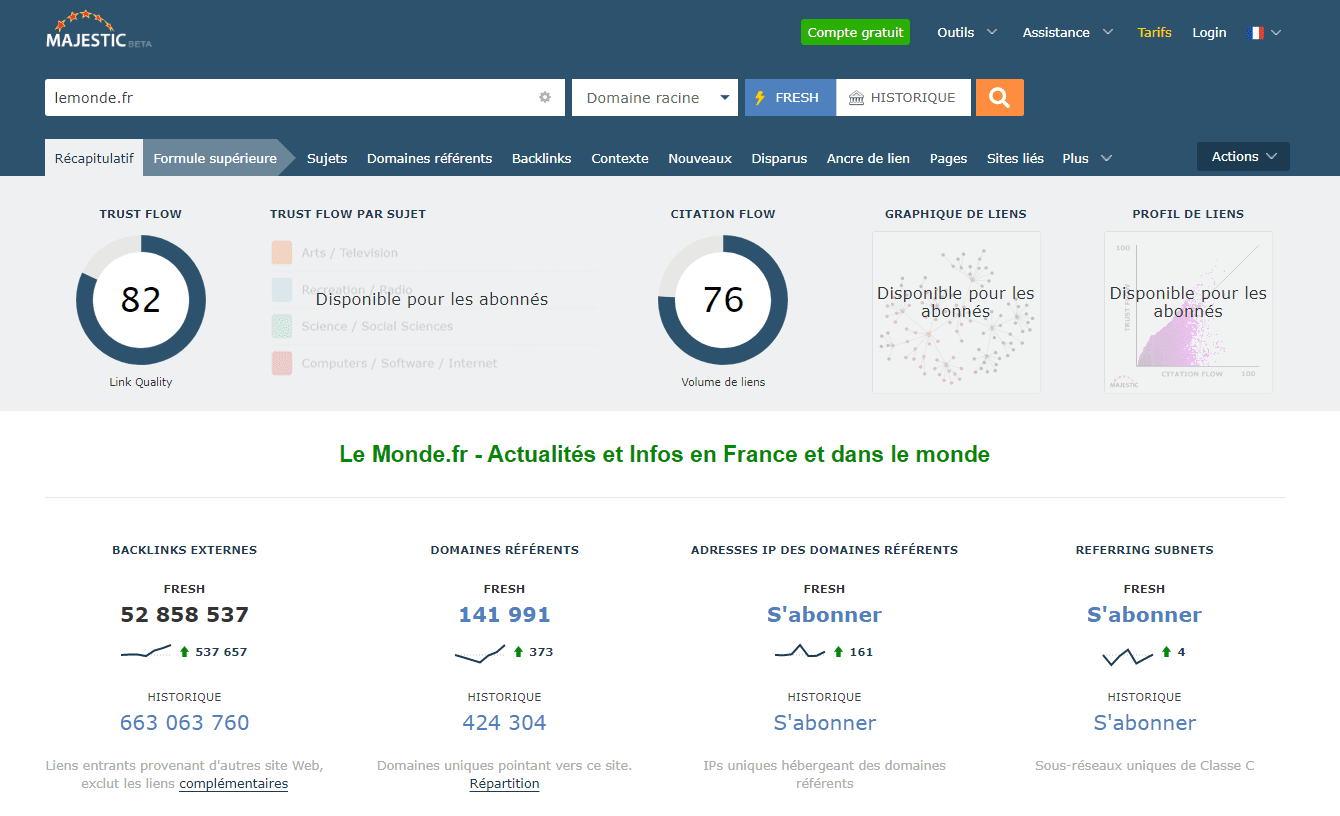
Majestic has been around since 2008, and its unique metrics are still valuable today.
Why Majestic stands out:
Trust Flow and Citation Flow are industry-standard metrics. Many SEO pros prefer them over DA/DR.
The Site Explorer is incredibly detailed. You see referring IPs, subnets, and geographic data that most tools skip.
Topical Trust Flow is unique. It shows if your backlinks are topically relevant to your niche.
The “Link Context” feature shows you where links appear on pages. Footer links vs. in-content links make a huge difference.
I use Majestic when I need to analyze link quality deeply. The Trust Flow metric helped me identify why a client’s profile looked strong numerically but wasn’t moving rankings. Turned out they had high Citation Flow but low Trust Flow—classic quantity-over-quality issue.
The weaknesses:
The interface is outdated. It works, but feels clunky.
The learning curve is steep for beginners.
Best for: Advanced SEO professionals analyzing link quality deeply.
Pricing: $49.99-$399.99/month.
Pro tip: Use the Bulk Backlink Checker to analyze up to 400 URLs at once. Great for big audits.
6. SE Ranking – Best Value for Money
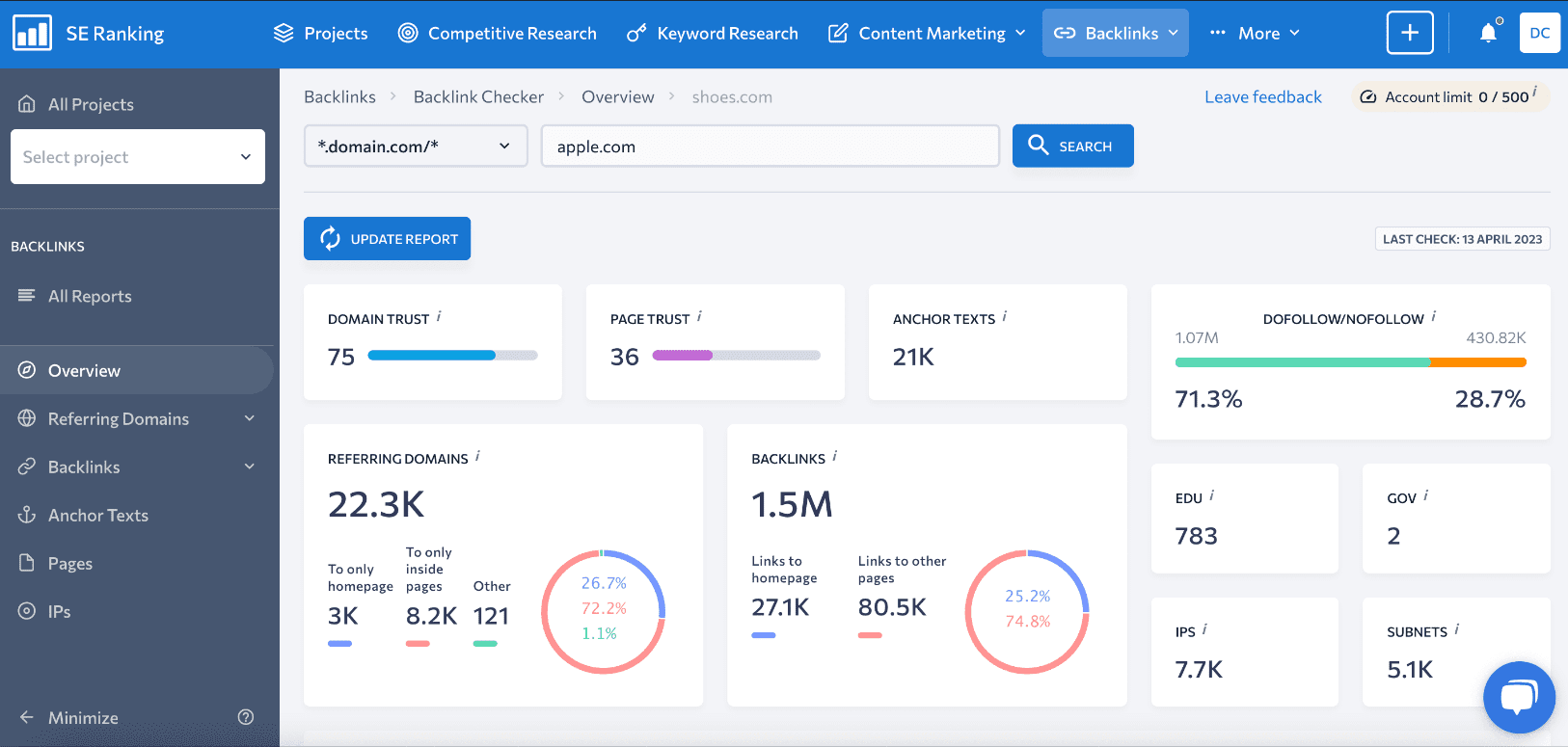
SE Ranking is my favorite budget-friendly option.
You get 90% of what Ahrefs offers at 40% of the price. For small agencies and freelancers, it’s perfect.
What makes SE Ranking worth it:
The backlink checker is comprehensive. You see all the metrics that matter: DR, spam score, anchor text, link type.
Cost tracking is brilliant. Assign a cost to each link you build. Track your link-building ROI. I’ve never seen this feature anywhere else.
White-label reports are included, even on the cheapest plan.
The “Backlink Monitor” tool lets you upload links from Google Search Console or add them manually. SE Ranking watches them daily.
I’ve used SE Ranking to manage eight client sites simultaneously. The multi-project management is excellent.
The cons:
The backlink index is smaller than that of the big players.
Some features feel less polished than Ahrefs or SEMrush.
Best for: Small agencies, freelancers, growing businesses.
Pricing: $65-$259/month.
Pro tip: Use the “Marketing Plan” feature to schedule link-building tasks and track progress.
7. SEOptimer – Best for Small Businesses
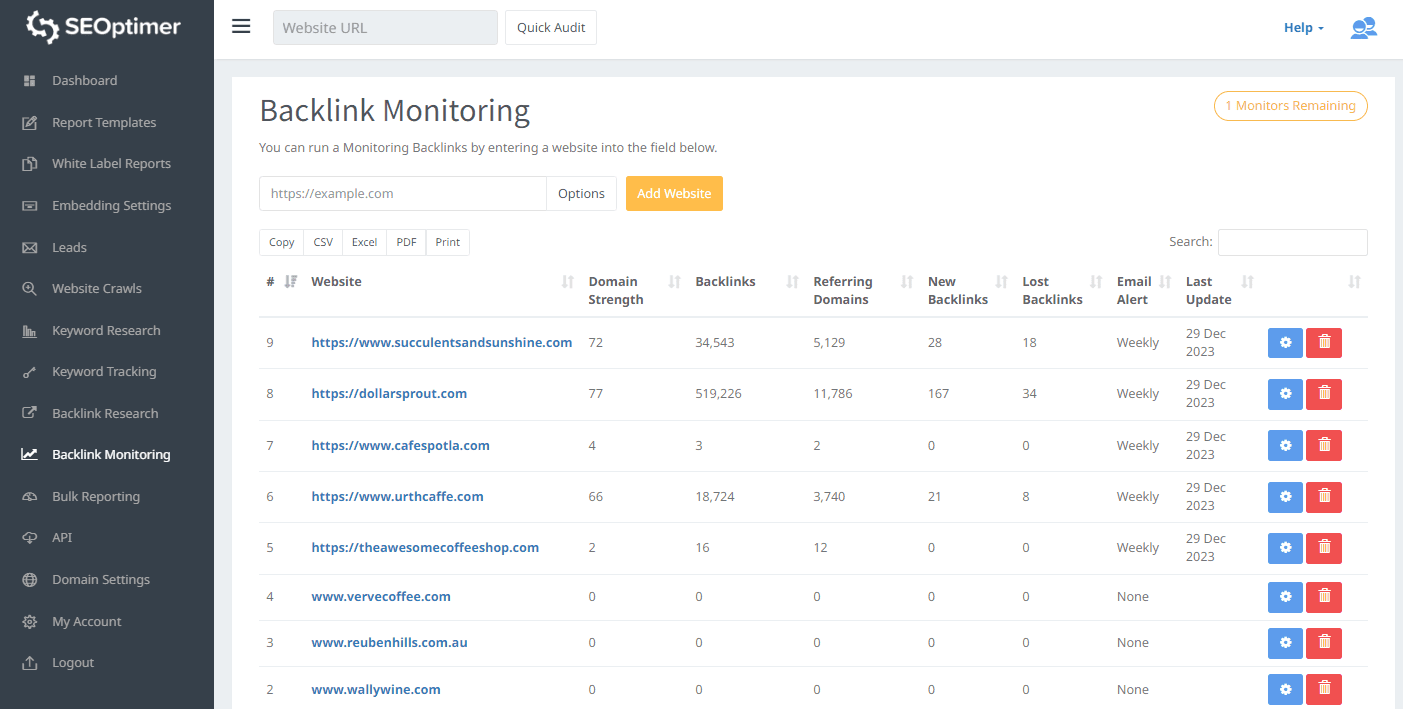
Monitor Backlinks is straightforward and affordable.
It’s perfect if you’re new to SEO or managing just one or two sites.
Why beginners love it:
The interface is super clean. No clutter. No confusion.
Keyword rank tracking included. See how your backlinks affect rankings.
Automated weekly reports. Set it and forget it.
The backlink quality checker automatically flags suspicious links.
At $20/month for a single site, it’s one of the cheapest options that actually works.
The limitations:
Limited to tracking specific backlinks. It doesn’t automatically discover new ones like Ahrefs does.
Fewer features than premium tools.
Best for: Small business owners, bloggers, and SEO beginners.
Pricing: $20-$650/month.
Pro tip: Combine with Google Search Console for complete coverage without breaking the bank.
8. Link Research Tools – Best for Link Risk Management
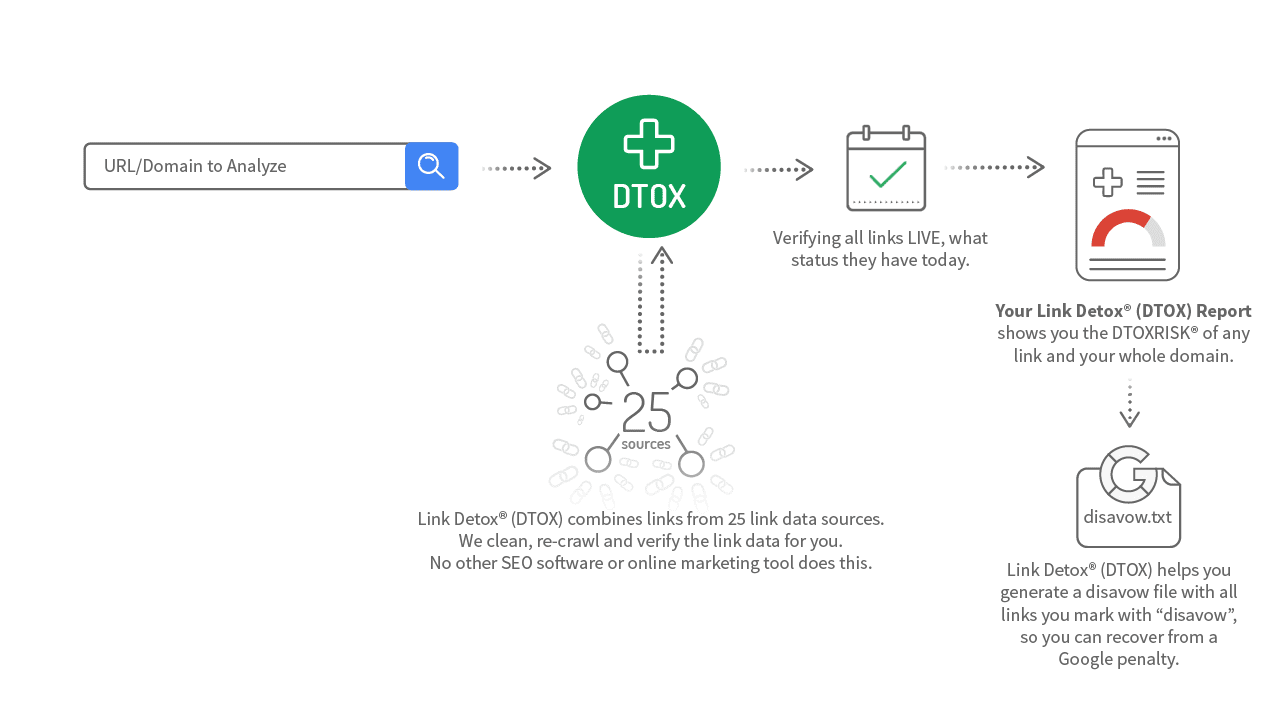
Link Research Tools (LRT) is specialized software for identifying and managing risky backlinks.
If a Google penalty has ever hit you, you know how valuable this is.
What LRT excels at:
The Link Detox feature is the most sophisticated toxic link detector available. It analyzes 100+ risk factors.
CEMPER Power Trust is their proprietary metric combining 50+ SEO metrics. It’s highly accurate.
The disavow list generator is smart. It groups links by domain, anchor text, or risk level.
I use LRT primarily for penalty recovery work. One client came to me after a manual penalty. We used LRT to identify 1,847 toxic links, disavowed them, and recovered rankings in 6 weeks.
The downsides:
Expensive. Plans start at $499/month.
Overwhelming for beginners. This is advanced software.
Best for: SEO consultants, agencies specializing in penalty recovery, and sites with toxic backlink issues.
Pricing: $499-$1,499/month.
Pro tip: Use the “Link Detox Boost” feature to fast-track penalty recovery.
9. Google Search Console – Best Free Backlink Checker
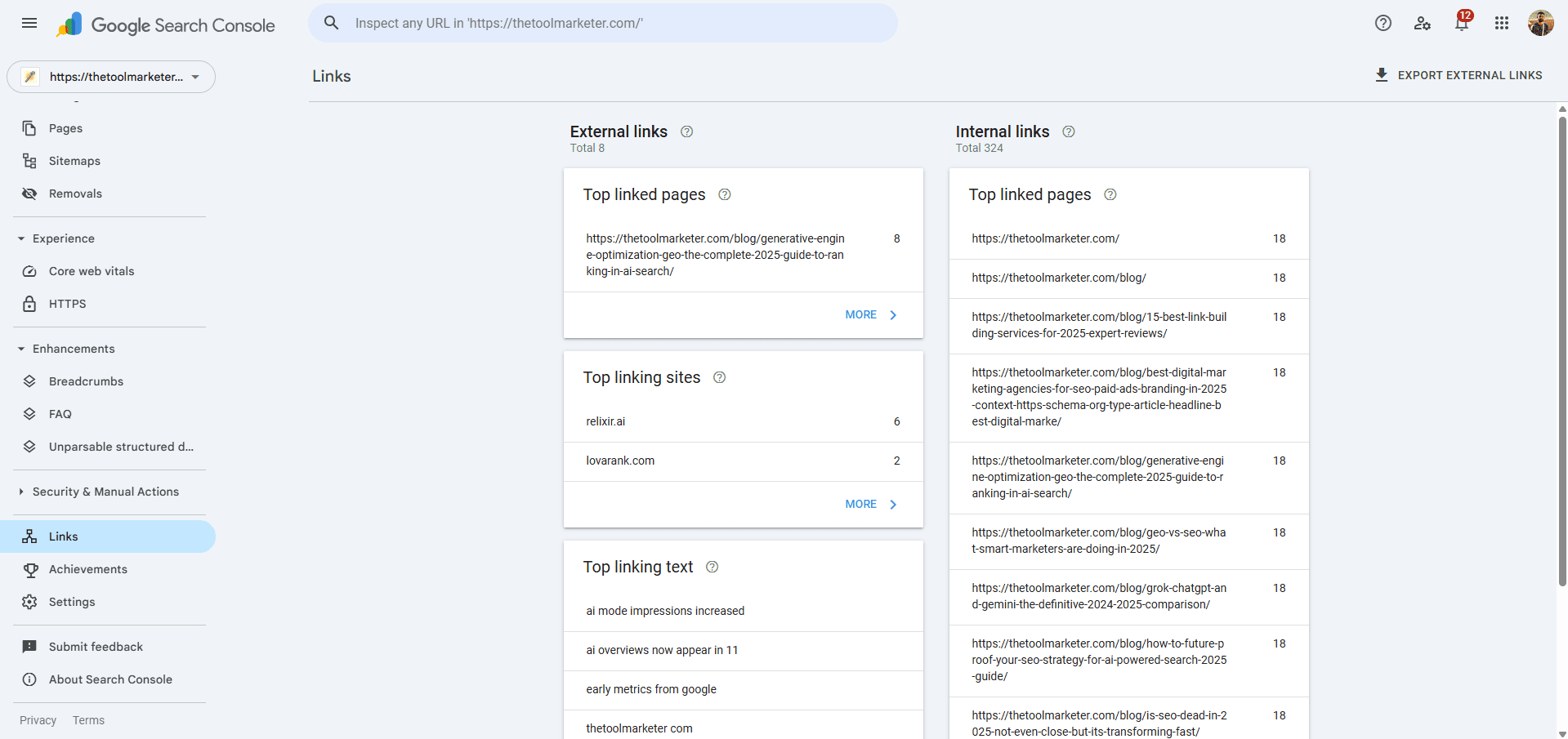
Let’s be real: Google Search Console (GSC) should be your starting point.
It’s free. It’s accurate. And it shows you the links Google actually sees.
Why GSC is essential:
Zero cost. Every website owner should use it.
Google’s own data. You’re seeing what actually matters for rankings.
The “Links” report shows:
- Top linking sites
- Top linking text (anchor text)
- Most linked pages on your site
You can export data easily for further analysis.
The major limitations:
GSC shows a sample, not complete data. It caps at about 1,000 rows.
No competitor analysis. You only see your own site.
No link metrics like DA, spam score, or Trust Flow.
Updates are slow. New links can take weeks to appear.
Despite these limits, I still check GSC weekly. It’s the most accurate free tool available.
Best for: Everyone. Use it alongside a paid tool.
Pricing: Free.
Pro tip: Set up automated email reports in GSC. Get weekly summaries without logging in.
10. Backlink Pilot – Best Free CRM for Link Building Agencies
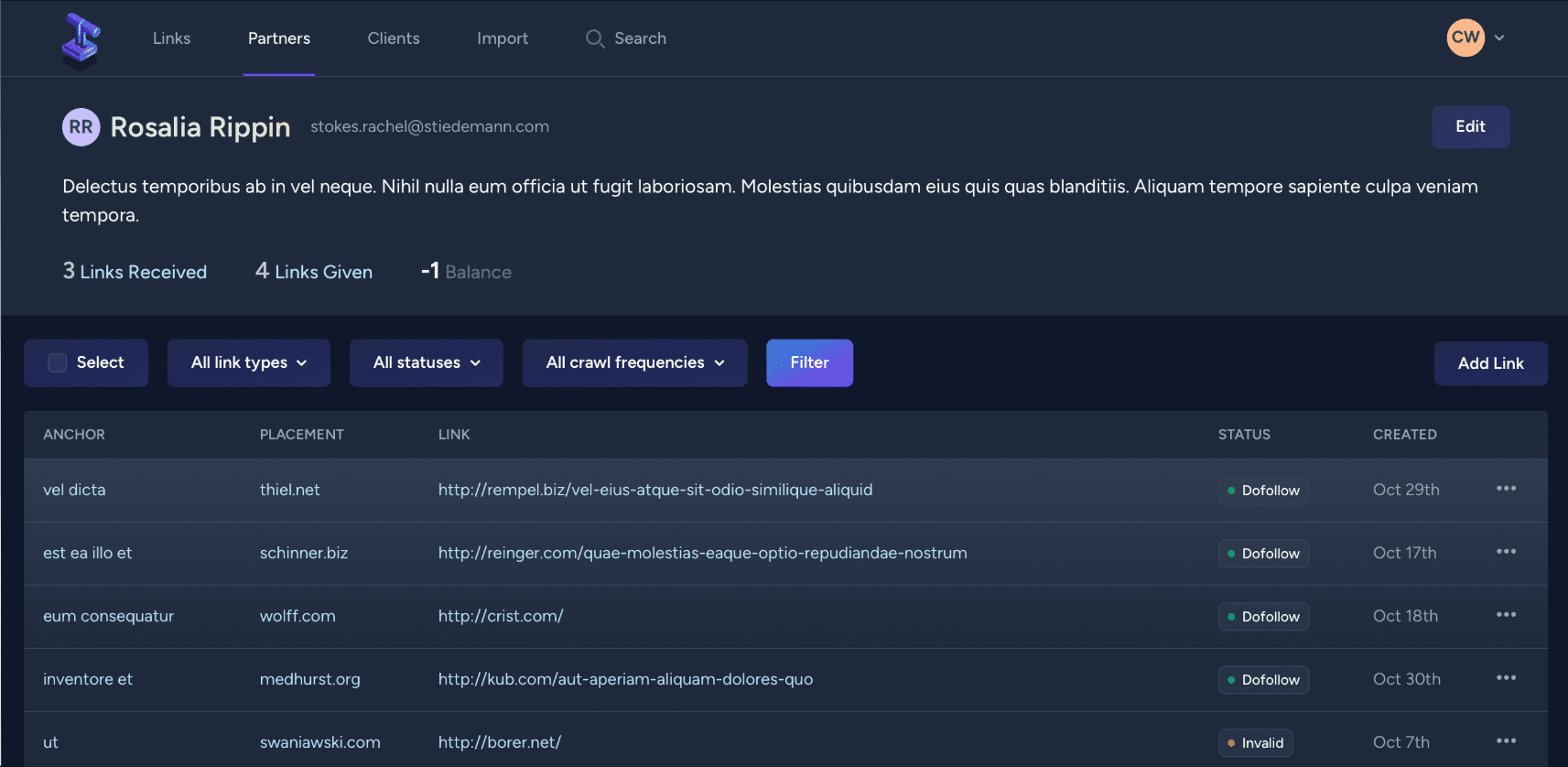
Backlink Pilot is entirely free and perfect for agencies building links for clients.
It’s not a discovery tool. It’s a link management CRM.
What makes Backlink Pilot valuable:
Track link exchanges. See how many links you’ve given vs. received from partners.
Monitor link status daily. Know instantly if a link goes offline.
Manage multiple clients in one dashboard.
Track dofollow/nofollow changes automatically.
I love using this for link exchange partnerships. We trade links with complementary businesses, and Backlink Pilot keeps everything organized.
The catch:
It doesn’t find new backlinks. You manually add the links you want to track.
No advanced metrics like DA or spam score.
Best for: Link-building agencies, managing partnerships, and link exchanges.
Pricing: Free.
Pro tip: Export data weekly and combine with Ahrefs or SEMrush for complete coverage.
11. SpyFu – Best for Competitor Backlink Spying
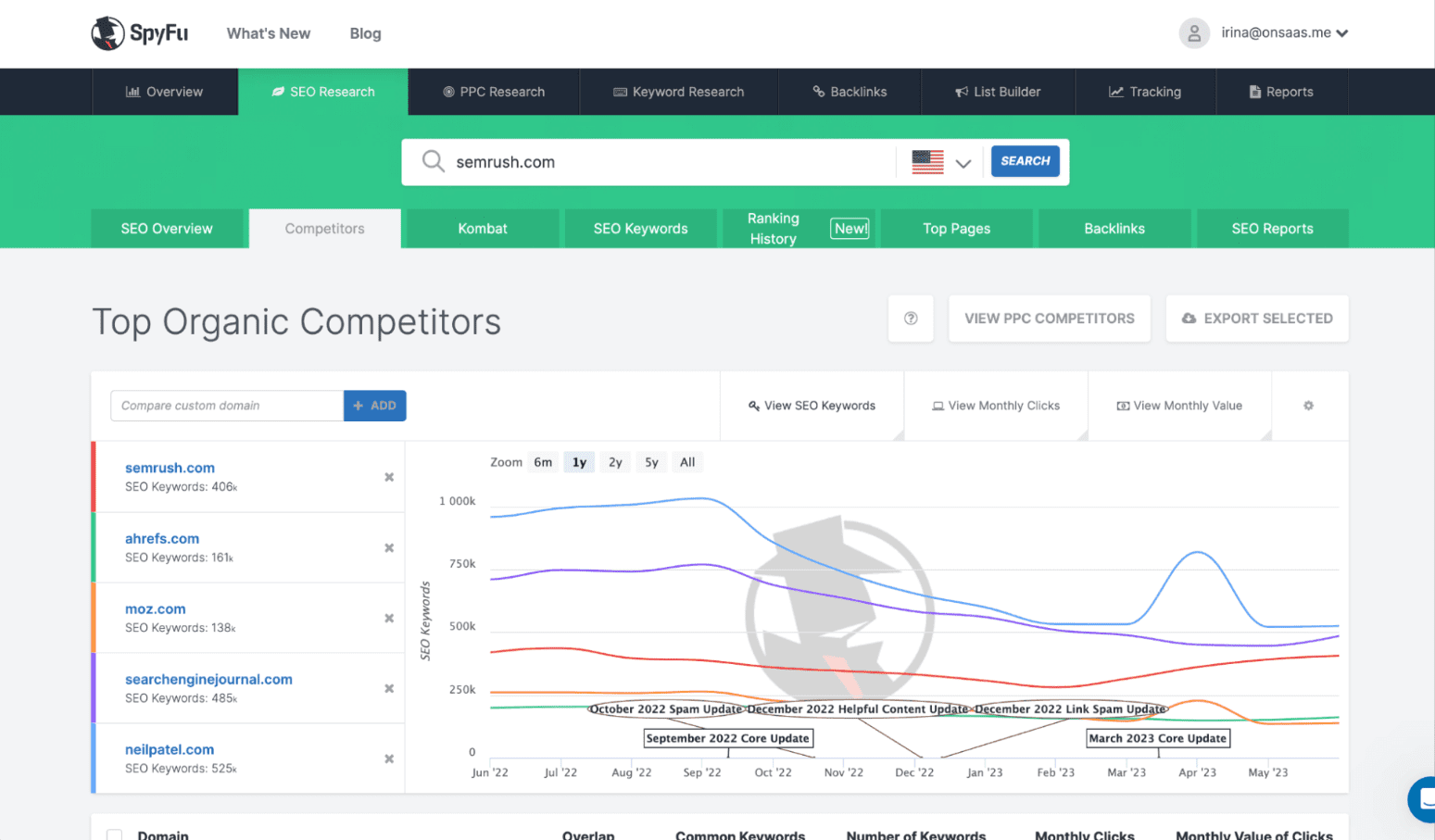
SpyFu is primarily a competitor research tool, but its backlink features are sneaky good.
Why SpyFu is underrated:
See every backlink your competitors ever had, even lost ones.
The “Kombat” feature compares up to 3 competitors at once.
Historical backlink data goes back years.
Affordable compared to Ahrefs or SEMrush.
I use SpyFu specifically for competitive intelligence. Before pitching to a new client, I run their top competitors through SpyFu to build a custom link strategy.
The weaknesses:
Not great for monitoring your own links.
The interface feels outdated.
Best for: Competitive research, finding link-building opportunities by studying competitors.
Pricing: $39-$299/month.
Pro tip: Use the “Backlink Outreach” list to find publishers who’ve linked to multiple competitors.
12. Ubersuggest – Best Budget-Friendly All-in-One Tool
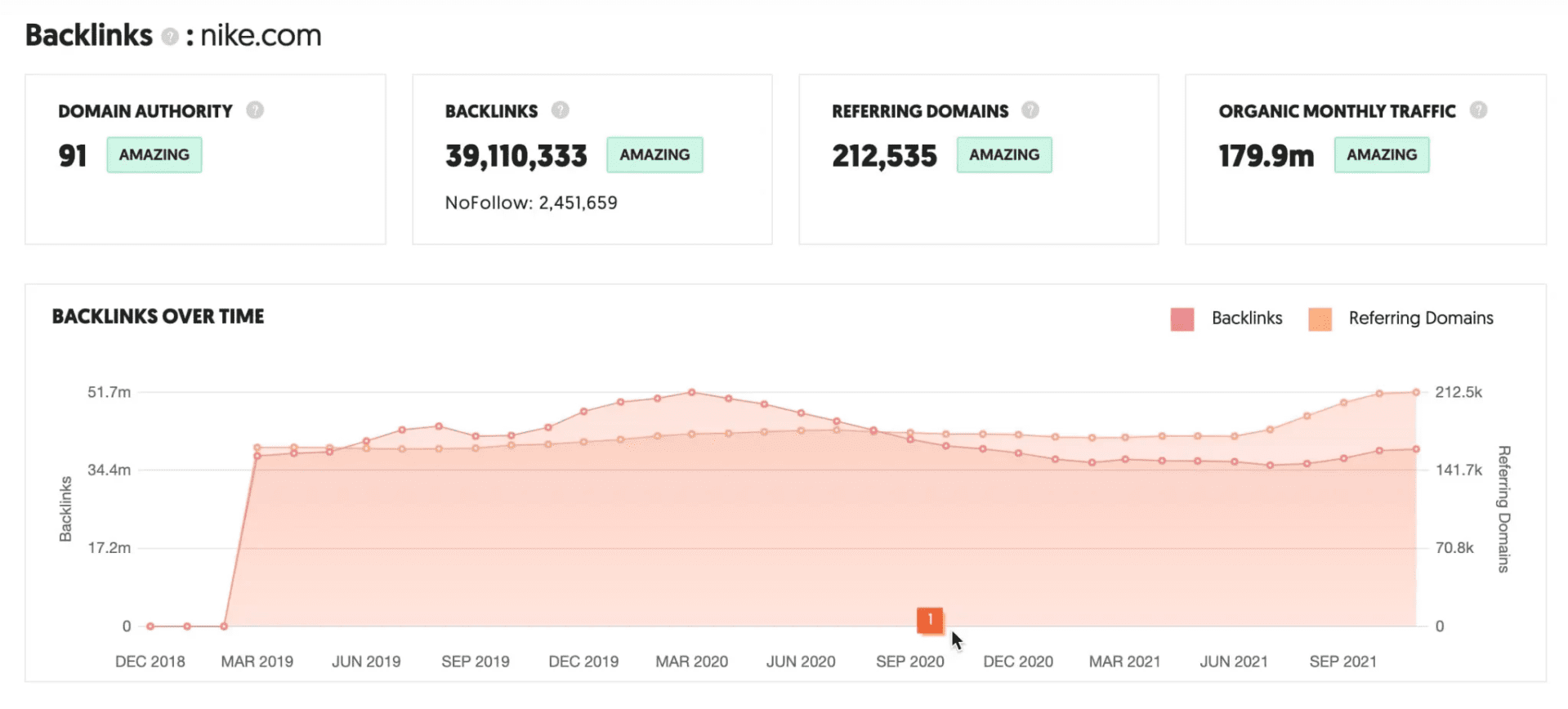
Ubersuggest by Neil Patel is the most affordable all-in-one SEO tool.
It’s not as powerful as Ahrefs, but for the price, it’s unbeatable.
What Ubersuggest offers:
Backlink data plus keyword research, rank tracking, and site audits.
Simple, beginner-friendly interface.
Lifetime deal available (pay once, use forever).
The backlink checker shows DA, PA, and anchor text.
I recommend Ubersuggest to clients just starting their SEO journey. It’s low-risk and easy to learn.
The trade-offs:
Smaller link database than premium tools.
Slower updates.
Limited advanced features.
Best for: Bloggers, small businesses, SEO beginners.
Pricing: $29- $99/month or a lifetime deal at $290.
Pro tip: Grab the lifetime deal if you’re on a tight budget—it’s the best value in SEO tools.
13. OpenLinkProfiler – Best Free Link Analysis Tool
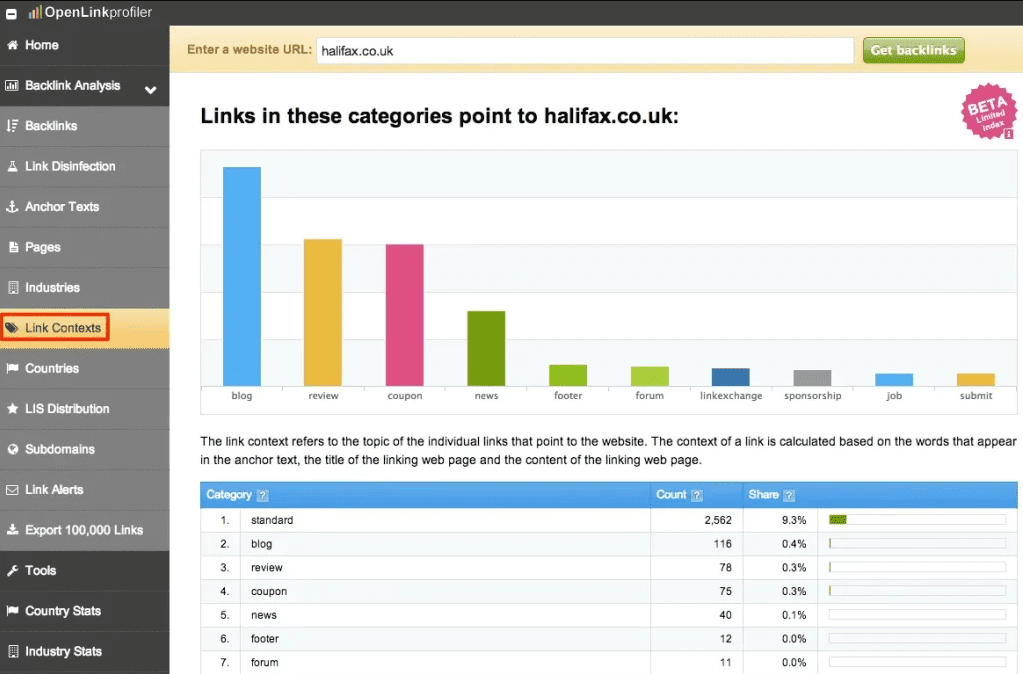
OpenLinkProfiler is a hidden gem in the free tool category.
Why I like it:
Completely free. No limits. No credit card.
The Link Influence Score (LIS) is a unique metric for link quality.
Filter links by industry, age, and context.
Great for quick competitor checks.
I use OpenLinkProfiler when I need a free second opinion on backlink data from other tools.
The limitations:
Smaller database than paid tools.
No monitoring or alerts. Just one-time lookups.
Best for: Quick, free analysis; beginners; budget-conscious SEOs.
Pricing: Free.
Pro tip: Use it to cross-reference data from GSC or other tools.
How Do I Choose the Right Backlink Monitoring Tool?
Here’s my decision framework:
If you’re a complete beginner, start with Google Search Console (free) and Ubersuggest ($29/month).
If you’re a freelance SEO, SE Ranking ($65/month) gives you everything you need without Ahrefs pricing.
Suppose you run an agency: Ahrefs or SEMrush for comprehensive client work. Add Linkody for dedicated monitoring.
If you only need link monitoring: Linkody or Monitor Backlinks. Don’t pay for features you won’t use.
Suppose you’re recovering from a penalty: Link Research Tools. It’s expensive but worth it for serious problems.
If budget is tight: Google Search Console, OpenLinkProfiler, and Backlink Pilot (all free).
The key is matching the tool to your actual needs. Don’t overpay for features you’ll never touch.
What’s the Best Free Backlink Monitoring Tool?
Let’s be honest: free tools have limits.
But if you’re starting or bootstrapping, here’s what I recommend:
Best overall free option: Google Search Console. Best free CRM: Backlink Pilot
Best free lookup tool: OpenLinkProfiler. Best free trial: Ahrefs (7 days) or SEMrush (7 days)
My strategy for beginners: Use GSC as your base. Add a free trial of Ahrefs to see what you’re missing. Then decide if the paid features are worth it for your situation.
Many successful SEO professionals started with free tools and upgraded as their income grew.
How Do I Set Up Automated Backlink Monitoring?
Automation is key. Here’s my step-by-step process:
Step 1: Choose your tool. Pick one from this list. I’ll use Ahrefs as an example.
Step 2: Add your domain. Enter your website URL in the tool’s dashboard.
Step 3: Set up alerts. Go to the “Alerts” section. Create alerts for:
- New backlinks
- Lost backlinks
- Competitor’s new backlinks
- Keyword ranking changes
Step 4: Choose notification method. Email is standard. Slack integration is better if your team uses it.
Step 5: Set frequency to Daily for active campaigns. Weekly for established sites.
Step 6: Test it. Wait 24-48 hours. Make sure you’re getting alerts.
Step 7: Create reports. Schedule monthly PDF reports for clients or stakeholders.
This setup takes 15 minutes. Then it runs automatically forever.
I’ve been using the same alert system for three years. It’s caught dozens of issues before they became problems.
What Should I Do When I Lose a Backlink?
Finding a lost link is just step one. Here’s what to do next:
Check if it’s really gone. Sometimes links are temporarily offline. Wait 48 hours and recheck.
Visit the linking page. See if the entire page is gone or just your link.
Use the Wayback Machine. See if you can find the old version with your link.
Contact the site owner. Politely ask what happened. Often it’s a mistake they’ll fix.
Offer to update your content. Their page changed topics. Offer updated content that fits better.
Find a replacement. If you can’t recover the link, find a similar site and build a new relationship.
I’ve recovered about 60% of lost links just by reaching out. Most site owners don’t realize they broke something.
Once, a client lost a DR 75 link in a significant publication. I emailed the editor. Turns out their CMS upgrade broke all external links. They fixed it within 24 hours.
How Do I Track Competitor Backlinks Strategically?
Watching competitors is smart. Here’s how to do it right:
Step 1: Identify your top 3-5 competitors. Choose sites ranking above you for your target keywords.
Step 2: Add them to your monitoring tool. Most tools let you track competitor domains.
Step 3: Set up competitor alerts. Get notified when they gain new links.
Step 4: Analyze their new links monthly. Look for patterns. Which types of sites link to them?
Step 5: Reach out to the same publishers. Offer better content, updated data, or complementary resources.
Step 6: Track which tactics work. Note which outreach methods land links.
I’ve built entire link-building campaigns by reverse-engineering competitor strategies.
One SaaS client was struggling to gain traction. We analyzed their top competitor’s backlinks and discovered they were getting tons of links from comparison review sites.
We created our own comparison content, reached out to the same review sites, and landed 23 links in three months.
Best Practices for Backlink Monitoring in 2026
After years of monitoring thousands of backlinks, here are my top practices:
Check your links regularly. Set a schedule and stick to it. Consistency beats perfection.
Focus on your best links first. Not all links are equal. Prioritize high-DR, in-content links.
Build relationships, not just links. Stay in touch with site owners who’ve linked to you.
Track your link-building costs. Know your cost per link—measure ROI.
Use multiple tools: GSC + one paid tool gives you complete coverage.
Document everything. Keep a spreadsheet of your best links, contacts, and notes.
Set up proper alerts. Don’t rely on manual checks. Automation catches things you’ll miss.
Review anchor text distribution monthly. Keep it natural. Too many exact matches look spammy.
Monitor unlinked brand mentions. Turn these into backlinks with simple outreach.
Create a disavow file. Even if you don’t use it, having toxic links documented is smart.
These practices have saved my clients from penalties, recovered lost rankings, and 10x’d link-building ROI.
Common Backlink Monitoring Mistakes to Avoid
I’ve seen these mistakes cost people rankings and money:
Ignoring lost links. Just because you lost a link doesn’t mean you can’t get it back.
Only tracking your own links, Competitor monitoring finds hidden opportunities.
Forgetting about unlinked mentions, these are the easiest links to earn. Just ask.
Not checking link placement. A footer link is worth way less than an in-content link.
Obsessing over every metric. Focus on what matters: DA/DR, traffic, relevance.
Using only free tools, you get what you pay for. Invest in quality data.
Forgetting to disavow toxic links. One bad neighborhood can hurt months of good work.
Not backing up your data, Tools shut down. Companies get acquired. Export your data regularly.
Learn from these mistakes so you don’t make them yourself.
How Backlink Monitoring Fits Into Your Overall SEO Strategy
Monitoring backlinks is one piece of a bigger puzzle.
Here’s how it connects to everything else:
Content strategy: Your best content attracts the most links. Monitor which pages get linked and create more like them.
Technical SEO: Broken backlinks land on 404 pages. Fix those pages or redirect them correctly.
Local SEO: Geographic link data shows if you’re building relevant local authority.
Competitive analysis: Competitor backlinks reveal market opportunities and content gaps.
Link-building campaigns: Monitoring shows which outreach tactics work and which don’t.
Think of backlink monitoring as the feedback loop for your entire SEO operation.
When you know what’s working, you can do more of it. When something breaks, you can fix it fast.
That’s how you build sustainable, long-term rankings.
Ready to Start Monitoring Your Backlinks Like a Pro?
Look, I get it.
Backlink monitoring sounds technical. Maybe even boring.
But here’s the reality: the SEO professionals who win are the ones who pay attention to details.
Your competitors are already monitoring their links. Google is already tracking your backlink profile.
The question is: are you?
You don’t need to spend thousands of dollars or hire a full-time SEO team.
Start with Google Search Console today. It’s free and takes 5 minutes to set up.
Then, when you’re ready to level up, grab a trial of Ahrefs or SEMrush. See the difference real data makes.
Or go with SE Ranking or Linkody if the budget is tight.
The tool doesn’t matter as much as the habit.
Pick one. Set it up. Check it regularly.
Your future self will thank you when your rankings stay strong rather than mysteriously drop overnight.
Need Help Choosing the Best Backlink Monitoring Tools for Your Needs?
At The Tool Marketer, we’ve tested every tool on this list in real client campaigns.
We know what works for agencies. We know what works for freelancers. We know what works for beginners.
If you’re still unsure which tool is right for your situation, we’ve got you covered.
Check out our complete guide to the best link-building tools for beginners to see how backlink monitoring fits into your overall strategy.
We’ll help you build an SEO toolkit that actually delivers results, without wasting money on features you’ll never use.
Because at the end of the day, the best tool is the one you actually use.
Let’s get your backlink monitoring dialed in so you can focus on what really matters: growing your traffic, rankings, and revenue.
Frequently Asked Questions
What is a backlink monitoring tool?
A backlink monitoring tool tracks all the links pointing to your website. It alerts you when new backlinks appear, existing links disappear, or link attributes change. These tools provide metrics like Domain Authority, spam scores, and anchor text distribution to help you maintain a healthy link profile.
How much do backlink monitoring tools cost?
Backlink monitoring tools range from free to $999/month. Google Search Console is free but limited. Budget tools like Ubersuggest cost $29/month. Mid-range options like SE Ranking start at $65/month. Premium tools like Ahrefs and SEMrush cost $129-$249/month. Dedicated monitoring tools like Linkody begin at just $14.90/month.
What’s the difference between free and paid backlink monitoring tools?
Free tools like Google Search Console show basic link data but lack advanced features. They update slowly, show limited results, and don’t track competitors. Paid tools offer larger databases, faster updates, detailed metrics, competitor tracking, automated alerts, and comprehensive reporting. The choice depends on your needs and budget.
How often should I check my backlinks?
For active link-building campaigns, check daily using automated alerts. For established sites, weekly reviews work fine. At a minimum, do a deep monthly analysis to spot trends. Most professionals set up automated daily alerts and conduct manual monthly reviews. Consistency matters more than frequency.
Can I monitor my competitors’ backlinks?
Yes. Most backlink monitoring tools let you track competitor domains. Add your top 3-5 competitors to your dashboard. You’ll see their new links, lost links, and overall link profile. This reveals opportunities to reach out to the same publishers. Tools like Ahrefs, SEMrush, and Linkody all include competitor tracking.
What metrics should I track when monitoring backlinks?
Track Domain Authority or Domain Rating, spam score, dofollow vs. nofollow ratio, anchor text distribution, link velocity, referring domains, total backlinks, link placement (content vs. footer), first seen and last seen dates, and traffic potential. Focus on quality metrics like DA and relevance over raw numbers.
How do I set up automated backlink monitoring?
Choose a monitoring tool like Ahrefs, SEMrush, or Linkody. Add your domain to the dashboard. Navigate to the alerts or notifications section. Create alerts for new backlinks, lost backlinks, and competitor changes. Choose email or Slack notifications. Set frequency to daily or weekly. Test and confirm you’re receiving alerts properly.
What should I do if I lose a high-quality backlink?
First, verify the link is actually gone by checking manually. Visit the linking page to see if it’s offline or if your link was removed. Contact the site owner politely and ask what happened. Offer to update your content if needed. If recovery fails, focus on building a replacement link from a similar high-quality source.
Are there free backlink monitoring tools that actually work?
Yes. Google Search Console is the best free option, showing accurate Google data despite limited features. OpenLinkProfiler offers free, unlimited link analysis. Backlink Pilot is a free CRM for tracking specific links. Ahrefs and SEMrush offer 7-day free trials. For beginners, start with GSC and upgrade when you need more features.
Which backlink monitoring tool is best for SEO agencies?
Ahrefs and SEMrush are the top choices for agencies because they offer comprehensive features, white-label reporting, multi-user access, and competitor tracking. Linkody is excellent for dedicated monitoring at a lower price point. SE Ranking provides the best value for smaller agencies. Choose based on your client load and budget.
How do backlink monitoring tools detect toxic links?
Tools analyze multiple factors, including spam score, domain age, anchor text patterns, link placement, linking site quality, and content relevance. They use algorithms to flag potentially harmful links. Ahrefs uses spam score, SEMrush uses toxic score, and Moz uses spam score. Link Research Tools uses 100+ risk factors for the most thorough analysis.
Can I monitor unlinked brand mentions with these tools?
Some tools monitor unlinked brand mentions. Mention and Brand24 specialize in this. Ahrefs and SEMrush include basic mention tracking. These mentions are valuable because you can reach out to request a link. Many site owners will add a link when you point out that they mentioned you without linking to you.