You open 10 different tabs to check backlinks. Another five tabs for keyword research. Then, more tabs for meta tag analysis and competitor research.
Managing SEO across multiple websites wastes hours every day. You lose momentum switching between tools. Important data gets buried in browser chaos.
The best Chrome extensions for SEO solve this problem by bringing powerful tools directly into your browser. These extensions work alongside comprehensive on-page SEO tools to streamline your optimization workflow. No more tab chaos. No separate platform logins. Everything you need appears where you work.
I tested over 30 SEO Chrome extensions to find ones that save time and provide accurate data. Here are the 10 best options that fit your needs.
Table of Contents
What Are Chrome Extensions for SEO and Why Do You Need Them?
Chrome extensions for SEO are browser add-ons that bring powerful optimization tools directly into your web browser. These lightweight programs run in the background while you browse, analyzing websites and displaying critical SEO data without opening separate applications.
Think of them as your personal SEO assistant sitting inside Chrome. When you visit any webpage, these extensions instantly show domain authority, backlink counts, keyword data, meta tags, and technical SEO elements. Everything appears right where you need it.
Traditional SEO workflows force you to copy URLs, paste them into separate tools, wait for reports, then switch back to your browser. This process wastes 10-15 minutes per website analyzed. Chrome extensions eliminate this friction completely.
What Are the 10 Best Chrome Extensions for SEO?
I installed each extension, used it on real projects, and verified that all features work as advertised. Here is what each one delivers.
1. SEOquake
SEOquake delivers instant SEO metrics for any webpage without leaving your browser. This free SEMrush extension displays domain authority, backlink counts, and SERP overlay data in a single toolbar. The tool exports complete SERP analysis to CSV files. SEOquake works on Chrome, Firefox, and Opera with over 3 million users.

Key features:
- SERP overlay displays key metrics directly below each search result
- Complete SEO audit runs on any webpage, showing technical issues instantly
- The keyword density report identifies optimization opportunities in real-time
- Internal and external link analysis reveals site structure at a glance
- Social media statistics track Facebook engagement and shares.
Pros:
- Completely free with no premium upgrade required for full functionality
- Lightweight extension does not slow down browser performance noticeably
- Customizable parameters let you choose which metrics appear in the toolbar.
Cons:
- Data accuracy depends on the SEMrush database, which sometimes shows outdated metrics
- The interface feels cluttered with too many metrics displayed simultaneously.
Best for: SEO professionals who need quick competitor analysis while browsing search results
Pricing: Free (Chrome Web Store)
2. MozBar
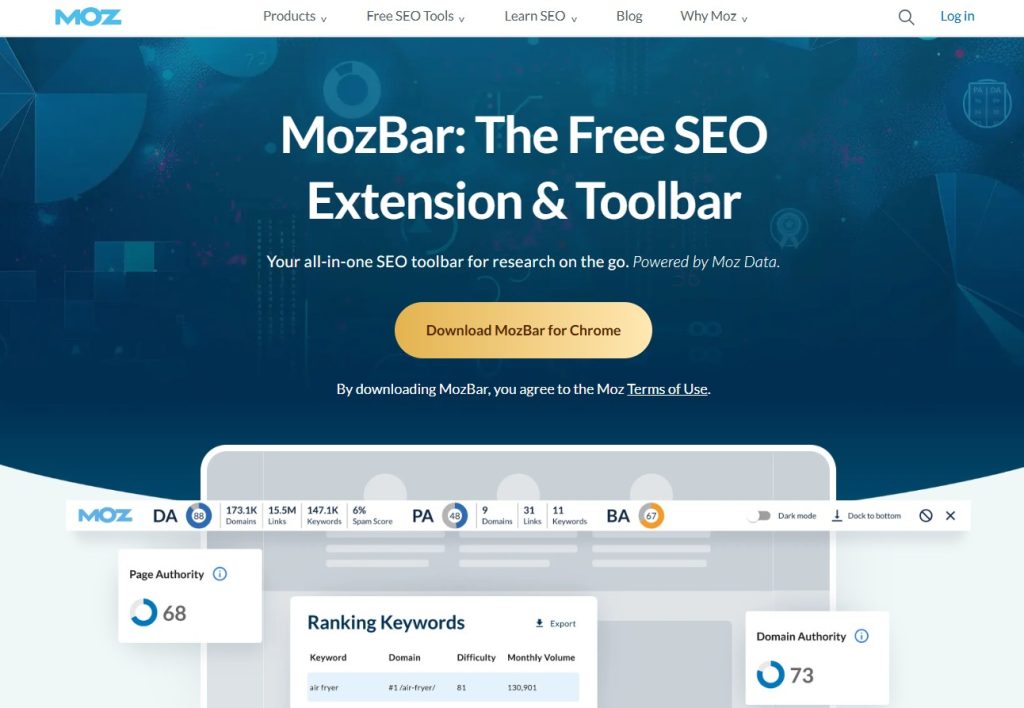
MozBar provides instant Domain Authority and Page Authority metrics for any website you visit. The extension highlights followed versus nofollowed links with color coding, making the analysis visual. MozBar creates SERP overlays showing authority scores in Google results. Premium features require a Moz Pro subscription for advanced tools.
Key features:
- Domain Authority and Page Authority scores appear instantly on any webpage
- Link highlighting differentiates between followed, nofollowed, and external links visually
- Page optimization suggestions identify improvements for meta tags and content
- SERP overlay shows metrics for all search results without clicking
- Keyword difficulty analysis helps identify winnable ranking opportunities
Pros:
- The free version provides valuable DA and PA metrics without a subscription
- Visual link highlighting makes technical analysis accessible to beginners
- Integration with Moz Pro unlocks advanced competitive research capabilities.
Cons:
- Most powerful features require an expensive Moz Pro subscription starting at $99/month
- Authority metrics update slowly, sometimes showing stale data for newer sites.
Best for: Content marketers evaluating link-building opportunities and competitor authority
Pricing: Free basic version, Premium features require Moz Pro subscription starting at $99/month (Moz)
3. Ahrefs SEO Toolbar
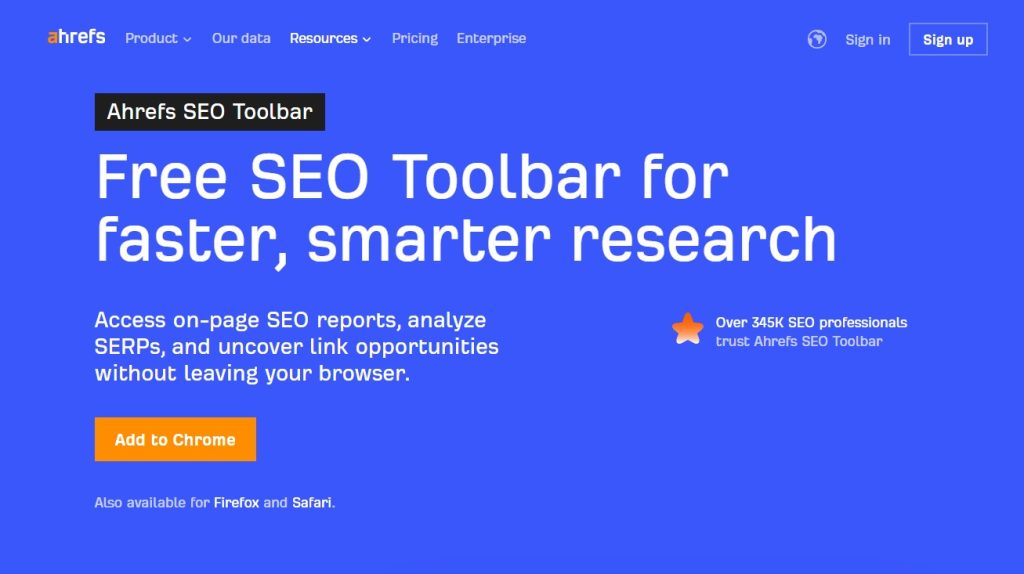
Ahrefs SEO Toolbar brings Ahrefs data into Chrome for on-page analysis and broken link detection. This extension requires an active Ahrefs subscription for full functionality, including backlink profiles and traffic estimates. The toolbar instantly shows Domain Rating, backlinks, and organic traffic for every webpage.
Key features:
- Domain Rating and URL Rating metrics match Ahrefs web app data exactly
- Backlink profile overview shows referring domains without leaving the page
- Organic traffic estimates reveal how much search traffic pages receive
- Broken link highlighter identifies dead pages for reclamation opportunities
- SERP position history tracks ranking changes over time
Pros:
- Data comes from Ahrefs’ massive index, making it highly accurate and comprehensive
- Seamless integration with the Ahrefs dashboard for deeper analysis when needed
- Broken link detection finds link-building opportunities that competitors overlook.
Cons:
- Requires an expensive Ahrefs subscription starting at $129/month for functionality
- Extension slows down on websites with hundreds of links analyzed.
Best for: Link builders and SEO agencies already using the Ahrefs platform
Pricing: Requires an Ahrefs subscription starting at $129/month (Ahrefs)
4. Keyword Surfer
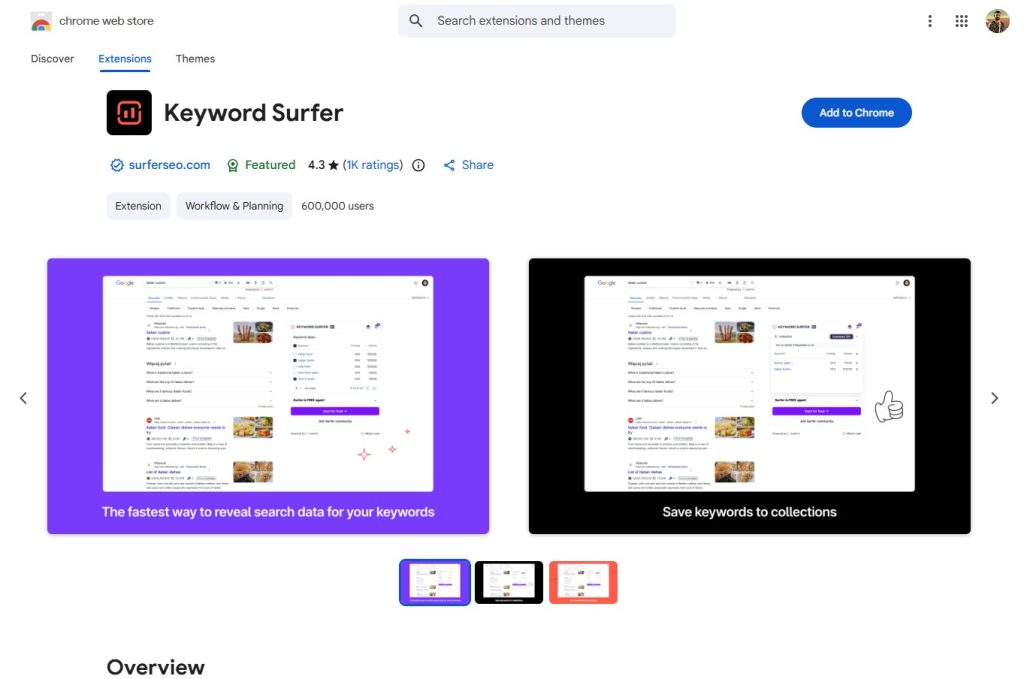
Keyword Surfer shows monthly search volume and related keywords directly in Google search results, without a subscription. This completely free extension displays keyword data alongside organic results, eliminating the need for separate keyword tools. The tool provides content suggestions, word count comparisons, and keyword ideas for current searches globally.
Key features:
- Search volume appears directly in Google results for every keyword searched
- The related keywords sidebar suggests similar terms and long-tail variations instantly
- Content suggestions show word count and keyword usage for top-ranking pages
- CPC data reveals commercial intent for each keyword at a glance
- Global coverage includes search volume for 70+ countries and regions.
Pros:
- Completely free with accurate data rivaling paid keyword research tools
- No account creation or login required, making it the fastest to start using
- Minimal browser impact, unlike heavy keyword tools that slow performance
Cons:
- Limited to Google search only, without Bing or other search engine support
- Historical data and trend analysis are unavailable, unlike premium keyword tools.
Best for: Content writers and bloggers researching keywords during content planning
Pricing: Free (Chrome Web Store)
5. SEO Meta in 1 Click
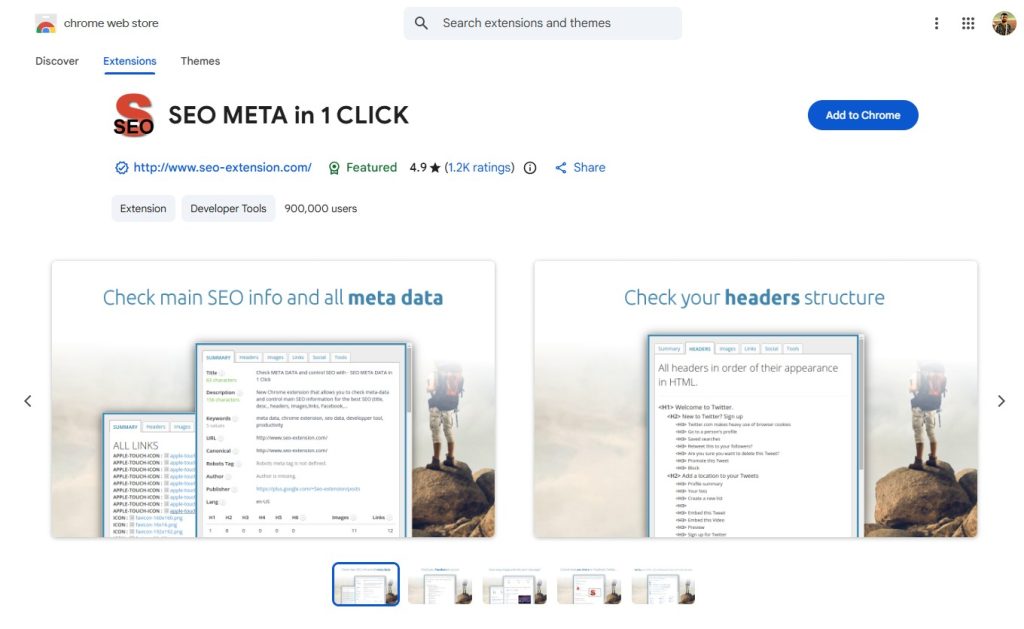
SEO Meta in 1 Click extracts all meta tags, headings, images, and links from any webpage into one clean sidebar. This extension shows title tags, meta descriptions, Open Graph tags, Twitter Cards, and schema markup without viewing source code. The tool validates JSON-LD-structured data in real time.
Key features:
- Complete meta tag extraction shows titles, descriptions, and social tags instantly
- Heading structure analysis reveals H1-H6 hierarchy at a glance
- Image analysis lists all images with alt text and file sizes
- Link summary counts internal, external, and nofollowed links separately
- Schema validation checks JSON-LD and microdata for errors.
Pros:
- Completely free with all features unlocked without limitations or upgrades
- Clean interface organizes technical data in a beginner-friendly visual format
- Real-time schema validation prevents costly structured data mistakes.
Cons:
- Basic functionality compared to the comprehensive SEO audit tools available
- No keyword analysis or content optimization suggestions included
Best for: Technical SEO specialists auditing on-page elements and structured data
Pricing: Free (Chrome Web Store)
SEO Meta in 1 Click works seamlessly with SEO content optimization tools for comprehensive on-page analysis.
6. Detailed SEO Extension
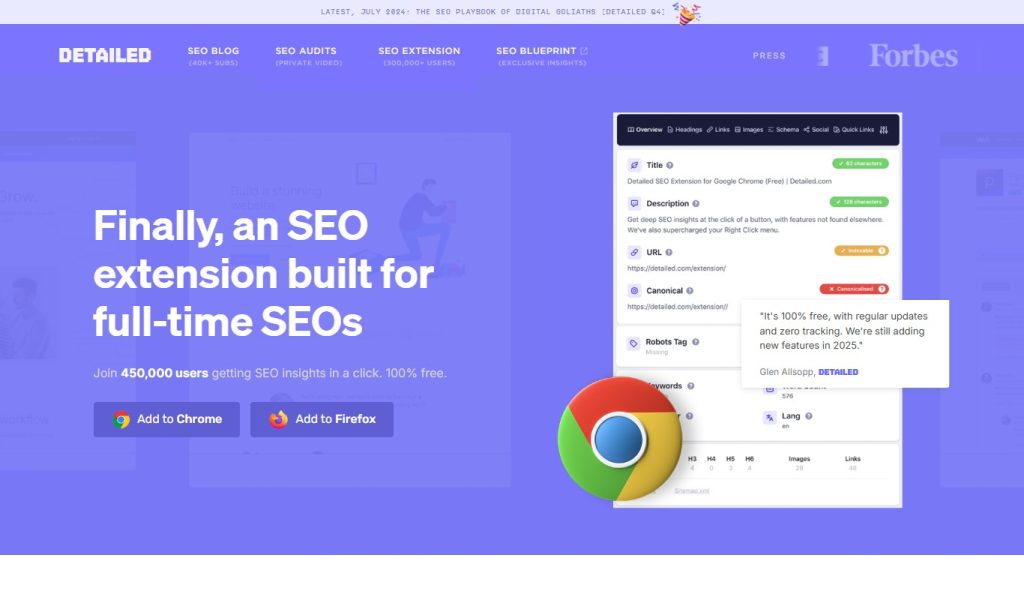
Detailed SEO Extension provides comprehensive technical SEO analysis directly in your browser’s toolbar, without a subscription. The extension checks meta tags, headings, images, links, and social tags, highlighting SEO issues in real time. This tool reveals canonical URLs, hreflang tags, robots directives, and technical elements hidden in source code.
Key features:
- Technical SEO audit analyzes 50+ on-page factors in seconds
- Meta tag validation catches missing or problematic tags immediately
- Image analysis shows alt text, file sizes, and optimization opportunities
- The canonical and hreflang checker prevents duplicate content issues
- Social tag preview shows how the content appears when shared.
Pros:
- Free forever with comprehensive auditing rivaling expensive tools
- Beginner-friendly interface explains technical issues in simple language
- Regular updates ensure compatibility with the latest SEO best practices.
Cons:
- Limited to on-page analysis without backlink or keyword research features
- Cannot save historical data for tracking improvements over time
Best for: Web developers and designers ensuring technical SEO compliance
Pricing: Free (Chrome Web Store)
7. Keywords Everywhere
Keywords Everywhere displays search volume, CPC, and competition data directly in Google, YouTube, Amazon, and other platforms. This paid extension seamlessly integrates keyword metrics into your regular search and browsing experience. The tool works across multiple websites, including Google Search Console, Google Analytics, and Ahrefs, and displays relevant metrics in context. Credit-based pricing means you only pay for keywords you research.
Key features:
- Search volume, CPC, and competition appear in Google search results instantly
- Platform coverage includes YouTube, Amazon, eBay, and Answer the Public
- The related keywords sidebar suggests hundreds of long-tail variations automatically
- People Also Search For data reveals user intent and question-based keywords
- Trend data shows seasonal fluctuations and changes in search volume.
Pros:
- Works across multiple platforms beyond just Google search results
- A credit-based model means paying only for actual usage, not monthly fees
- Contextual data appears where you need it without separate tools.
Cons:
- Requires purchase of credits starting at $10 for 100,000 keywords
- Data accuracy varies by region, with some countries showing estimates.
Best for: SEO professionals conducting extensive keyword research across platforms
Pricing: Credit-based, starting at $10 for 100,000 keywords (Keywords Everywhere)
8. Redirect Path
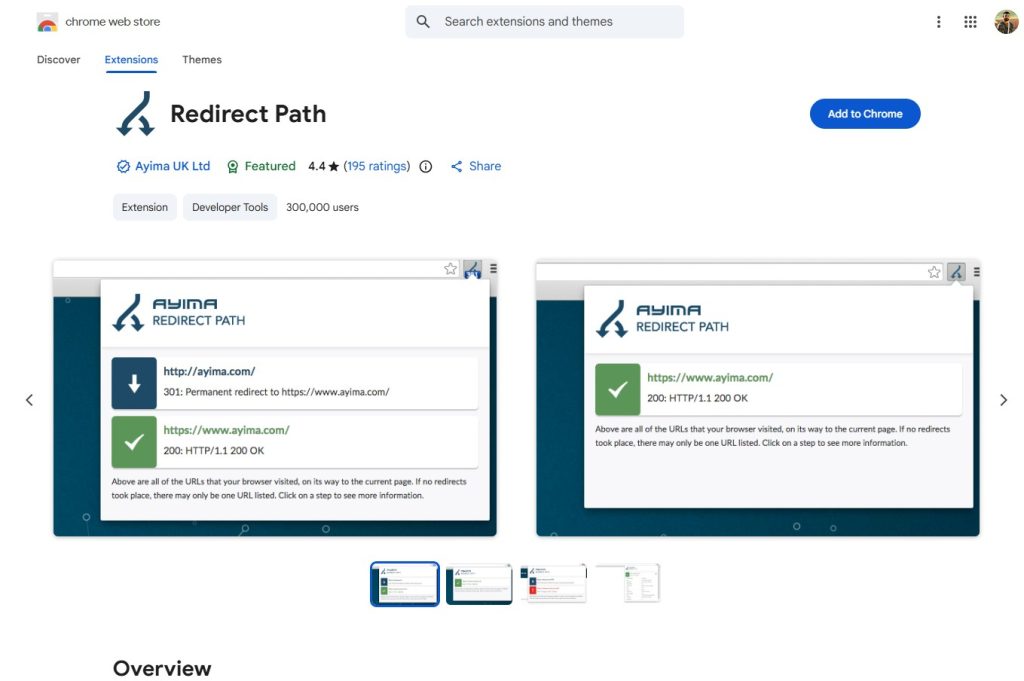
Redirect Path traces all redirects, shows HTTP status codes, and identifies redirect chains slowing down websites. This free extension from Ayima highlights 301, 302, 404, and 500 errors in your browser, with color-coded badges. The tool helps find broken pages, diagnose redirect loops, and optimize site migration projects. Redirect Path works on any webpage, showing the complete redirect path from URL to final destination.
Key features:
- HTTP status code badges show 200, 301, 302, 404, 500 codes visually
- Redirect chain visualization reveals unnecessary hops slowing page speed
- Broken link detection finds 404 errors for fixing or link building
- Server response time appears for performance troubleshooting
- Redirect type differentiation between permanent and temporary moves
Pros:
- Completely free from Ayima with no premium version or upsells
- Essential for technical SEO audits and site migration projects
- Lightweight extension adds minimal browser overhead.
Cons:
- Single-purpose tool only handling redirects without other SEO features
- No bulk URL checking requires manual page-by-page testing.
Best for: Technical SEO consultants managing site migrations and redirect audits
Pricing: Free (Chrome Web Store)
9. SEO Minion
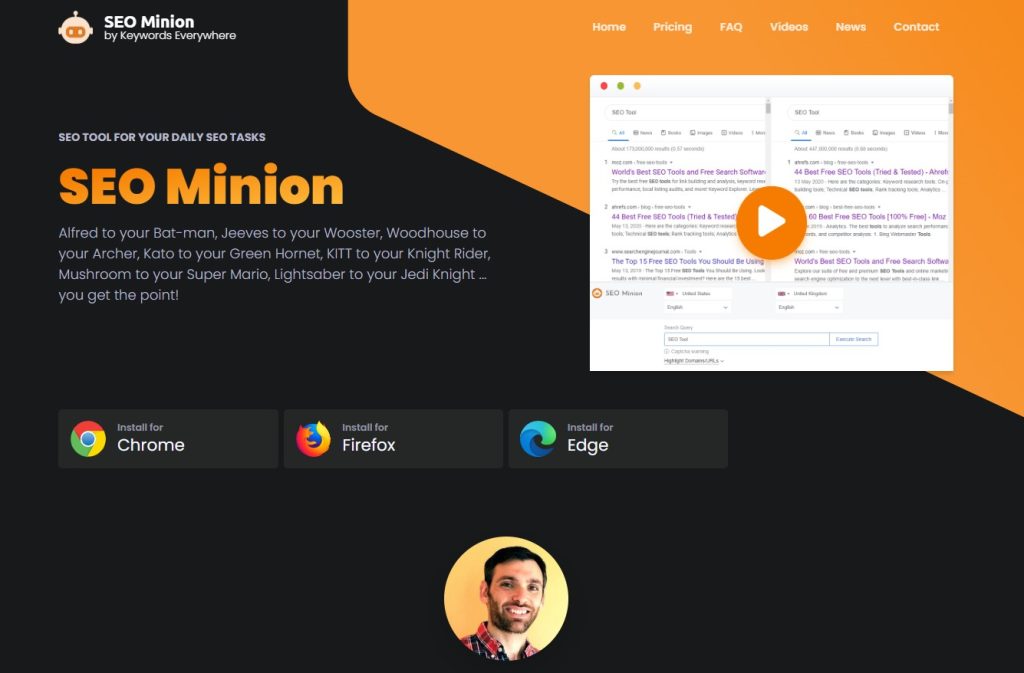
SEO Minion performs on-page SEO analysis, broken link checking, and SERP previews completely free. This extension highlights all links, images, and headings, making the page structure instantly visible. The tool checks broken links in bulk, analyzes hreflang tags, and previews SERP snippets. SEO Minion works offline after initial installation, requiring no server connections.
Key features:
- Broken link checker scans entire pages for dead links instantly
- SERP preview shows how pages appear in Google search results
- Link highlighting differentiates between internal, external, and nofollowed links
- Hreflang checker validates international targeting implementation
- Page analysis reveals headings, images, and structured data.
Pros:
- Completely free forever with no premium version or limitations
- Privacy-friendly design works offline without sending data externally
- Lightweight tool with minimal impact on browser performance
Cons:
- Basic functionality without advanced metrics like DA or keyword data
- No regular updates since the last update over a year ago
Best for: Privacy-conscious users needing basic on-page SEO checks
Pricing: Free (Chrome Web Store)
10. AIOSEO Analyzer
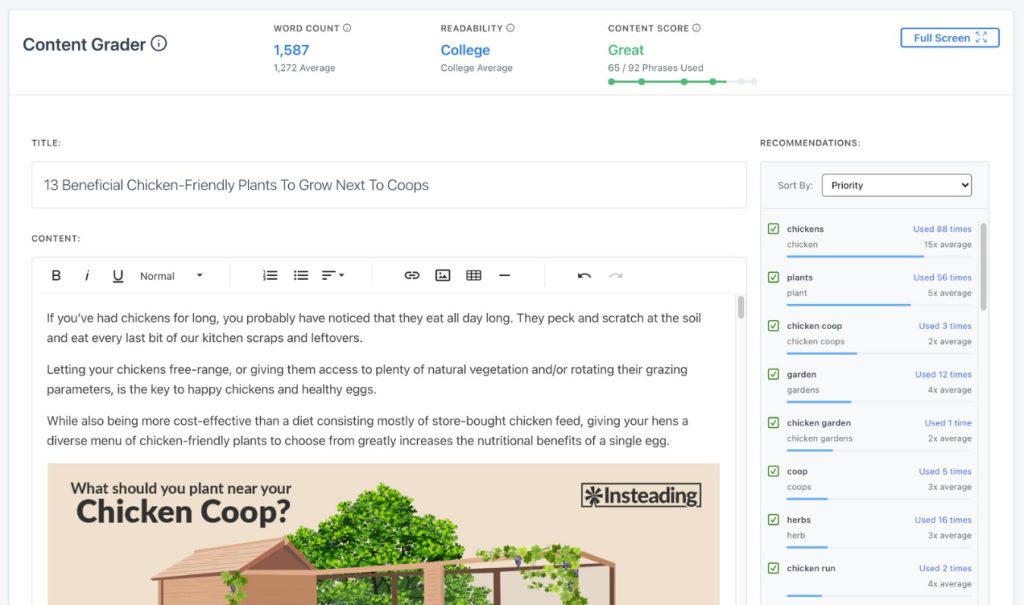
AIOSEO Analyzer provides on-page SEO analysis showing optimization opportunities for any webpage you visit. This free extension from All in One SEO checks title tags, meta descriptions, heading structure, and content quality. The tool offers actionable recommendations for improving on-page SEO without requiring technical knowledge. AIOSEO Analyzer works independently without requiring the WordPress plugin.
Key features:
- On-page SEO score analyzes 20+ optimization factors instantly
- Title and meta description checker validates length and keyword usage
- Heading structure analysis ensures proper H1-H6 hierarchy
- Content quality assessment measures readability and keyword optimization
- Actionable recommendations explain how to fix identified issues.
Pros:
- Completely free from the trusted All-in-One SEO WordPress plugin developer
- Beginner-friendly explanations make technical SEO accessible to everyone
- Regular updates ensure compatibility with the latest Google algorithm changes.
Cons:
- Limited to on-page analysis without backlink or keyword research
- Fewer features than comprehensive paid alternatives like Surfer SEO
Best for: WordPress users and content creators optimizing individual pages
Pricing: Free (Chrome Web Store)
AIOSEO Analyzer pairs perfectly with WordPress SEO plugins for complete site optimization.
Which Chrome Extension Is Best for On-Page SEO?
On-page optimization requires a detailed analysis of meta tags, headings, and content.
SEO Meta in 1 Click wins for technical audits, extracting every meta tag, heading, image, and link into organized reports. The schema validation catches errors that other tools miss.
AIOSEO Analyzer provides beginner-friendly recommendations that explain exactly how to fix on-page issues, with actionable guidance.
Detailed SEO Extension balances technical depth with usability, checking 50+ factors while remaining accessible to non-technical users.
For technical SEO specialists, use SEO Meta in 1 Click. For content creators, choose AIOSEO Analyzer.
Which Chrome SEO Extensions Work Best Together?
Strategic extension combinations cover all SEO needs without overlap or conflicts.
Beginner stack: Keyword Surfer (keyword research) + SEO Meta in 1 Click (on-page audit) + MozBar (authority metrics). All free, providing a comprehensive SEO toolkit without subscriptions.
Professional stack: Ahrefs SEO Toolbar (backlinks) + Keywords Everywhere (keywords) + Redirect Path (technical). Requires an Ahrefs subscription plus Keywords Everywhere credits for complete competitive intelligence.
Content creator stack: AIOSEO Analyzer (on-page) + Keyword Surfer (keywords) + Check My Links (link checking). Perfect for bloggers who want to optimize content without complex analysis.
Avoid running SEOquake, MozBar, and Ahrefs Toolbar simultaneously as they provide similar metrics and slow browser performance.
Final Thoughts
The best Chrome extensions for SEO depend on your budget and workflow needs.
Free users should install SEOquake, Keyword Surfer, and SEO Meta in 1 Click for comprehensive SEO coverage without subscriptions.
Professionals already using Ahrefs or SEMrush benefit from their respective toolbars, which integrate platform data into their browsing.
Content creators need AIOSEO Analyzer for on-page optimization and Keyword Surfer for research during content planning.
Start with three free extensions covering keywords, on-page, and metrics. Add specialized tools as specific needs emerge. Avoid installing too many similar extensions that duplicate features and slow performance.
Pick your essential three extensions today. Install them. Pin them to your toolbar. Watch your SEO workflow accelerate.
Frequently Asked Questions
What is the best Chrome extension for SEO?
SEOquake is the best overall free extension providing domain metrics, SERP analysis, and complete audits. For paid options, Ahrefs SEO Toolbar delivers comprehensive data for professionals.
Are SEO Chrome extensions safe to use?
Reputable extensions from known companies like Ahrefs, Moz, and SEMrush are safe. Always install from the official Chrome Web Store and check reviews before installing.
Which is the best free SEO Chrome extension?
SEOquake, Keyword Surfer, and SEO Meta in 1 Click are the three best completely free options without limitations.
How do I install SEO Chrome extensions?
Visit the Chrome Web Store, search for the extension name, click Add to Chrome, confirm permissions, and pin to the toolbar. Most work immediately without configuration.
Can Chrome extensions slow down my browser?
Yes, running multiple heavy extensions simultaneously can slow performance. Limit to 3-5 essential extensions and disable unused ones.
What is the SEO Meta in the 1 Click Chrome extension?
SEO Meta in 1 Click extracts all meta tags, headings, images, links, and schema markup from webpages into an organized sidebar for audits.
Which Chrome extension is best for keyword research?
Keyword Surfer is the best free option for showing search volume in Google results. Keywords Everywhere works across platforms but requires purchasing credits.
Do I need paid Chrome extensions for SEO?
No, excellent free extensions like SEOquake, Keyword Surfer, and SEO Meta in 1 Click cover most SEO needs without subscriptions.
Which extensions work best together?
Combine Keyword Surfer (keywords), SEO Meta in 1 Click (on-page), and MozBar (authority) for a comprehensive free toolkit without duplicating features.
How many SEO extensions should I use?
Use 3-5 essential extensions covering keywords, on-page, and metrics. More extensions slow down the browser and duplicate features unnecessarily.
What is the best on-page SEO Chrome extension?
SEO Meta in 1 Click provides the most thorough analysis, extracting all technical elements. AIOSEO Analyzer offers beginner-friendly recommendations explaining fixes simply.
Are Chrome extensions better than standalone SEO tools?
Extensions complement standalone tools rather than replacing them. Use extensions for quick checks and dedicated tools for comprehensive analysis.
Do SEO extensions work on mobile Chrome?
No, Chrome extensions only work on desktop browsers. Mobile Chrome does not support extensions that require a desktop computer.
Can I use SEO extensions on other browsers?
Many extensions, including SEOquake, work on Firefox, Edge, and Opera. Check each extension’s page for browser compatibility.
Which extensions help with competitor analysis?
SEOquake, Ahrefs SEO Toolbar, and MozBar display metrics, backlinks, authority scores, and data for any competitor website you visit.
Share